 Networking
Enterprise Wi-Fi
Wi-Fi 6/6E/7 with APs placed from real measurements. Works in a full meeting room, holds calls while you walk, secured with WPA3.

What we usually find on site
Home routers or APs mounted wherever was convenient leave dead spots, interfere with each other and drop you between rooms. The classic symptom: full bars, nothing loads, especially when a meeting starts.
More APs is not the answer. Packing APs into 2.4 GHz usually makes things slower, because there are only three non-overlapping channels. We design for capacity (people and devices) first, then check coverage with predictive modelling and on-site measurement.
The concrete walls and reflective coated glass common in new Vientiane buildings eat far more 5 GHz signal than people expect. That is why we don't design from the floor plan alone.
Picking the standard
- Wi-Fi 6 (802.11ax): OFDMA and MU-MIMO cope well with many clients. The minimum for new work.
- Wi-Fi 6E: adds the uncrowded 6 GHz band, ideal for meeting rooms and classrooms. Before ordering we confirm the imported AP model actually enables 6 GHz for this country.
- Wi-Fi 7 (802.11be): 320 MHz channels (6 GHz only) and Multi-Link Operation (MLO). Plan 2.5/5 Gbps uplinks and at least 802.3at PoE; many models need 802.3bt to run with every feature enabled.
Security and management
Staff connect with WPA3-Enterprise and 802.1X using their own accounts, not a Wi-Fi password taped to the wall. Guests get a separate SSID with client isolation and rate limits. 802.11k/v/r lets people walk the building on a VoIP call without it dropping.
Balcony and rooftop APs are IP67 models with a surge protector on the LAN cable. In the rainy season, that's the point that fails most often.
What it does
Designed from measurements
Predictive heatmaps before install and a validation survey after.
Wi-Fi 6/6E/7
Not every room needs Wi-Fi 7. We mix generations by density and budget.
WPA3 and 802.1X
Per-user login via RADIUS/Active Directory.
Roaming that holds
802.11k/v/r for VoIP handsets and warehouse scanners.
Separate guest Wi-Fi
Captive portal, client isolation and per-user bandwidth caps.
Every AP on one screen
See clients and interference, and push firmware centrally.
Design and rollout
- 1
Find out who uses which areas, how many, and for what
- 2
Predictive design from floor plans and wall materials
- 3
AP-on-a-stick survey in critical areas
- 4
Install APs and PoE switches; set up SSIDs, VLANs and 802.1X
- 5
Re-survey after install and tune channels and power
Where it fits
- Open-plan offices and packed meeting rooms
- Classrooms where every student opens a tablet or laptop at once
- Warehouses where barcode scanners roam the whole floor
- Hospitals where nurses carry mobile devices around the building
Typical system sizes
Essential
Fits: Up to 10 APs, one office
- Cloud-managed Wi-Fi 6 APs
- Staff and guest SSIDs
- Predictive design
Professional
Fits: 10–60 APs, several floors
- Wi-Fi 6E/7 in dense areas
- WPA3-Enterprise with 802.1X
- Pre- and post-install surveys
Campus
Fits: 60+ APs, several buildings or outdoor
- Redundant controllers and NAC
- IP67 outdoor APs with surge protection
- Monthly performance reports
Brands we supply & install
All brand names and trademarks belong to their respective owners. Mention does not imply official partnership unless explicitly stated. Products are sourced through legitimate distribution channels.
FAQ
How many APs do I need?
It depends on headcount, walls and what people do. Our starting planning figure is 25–40 active devices per AP. Send us your floor plan on WhatsApp and we'll mark rough AP positions.
Is Wi-Fi 7 worth it now?
For new buildings with a 7–10 year life and crowded spaces, yes. For a 20-person office, Wi-Fi 6 is still enough, and the money is better spent on switches and a UPS.
Can wireless mesh replace cabling to APs?
Yes, where the landlord won't allow drilling or cabling is truly impossible. But every mesh hop costs throughput. For a business we want every AP cabled.
Can staff log in to Wi-Fi with their Active Directory account?
Yes, through 802.1X with RADIUS (such as NPS) or a NAC platform. Disable a leaver's account and their Wi-Fi access stops. No more changing the company-wide password.
Related guides
Choosing Business Wi-Fi Access Points: What Matters Beyond the Box Speed
Wi-Fi 6, 6E or 7, cloud or controller, indoor or outdoor: what an engineer checks before ordering APs, including the 6 GHz and country-SKU question and a first estimate…
Wi-Fi Site Survey Guide: Measure Before You Drill
Which kind of site survey to use, the RSSI/SNR targets we design to, what actually happens on survey day, and the report you should get at the end.
Wi-Fi Security: WPA3, 802.1X and Guest Isolation That Actually Isolates
A Wi-Fi password taped to the wall and a guest SSID on the staff VLAN are what we find most. How to pick security modes, design SSIDs and VLANs, and move to WPA3 without…
PoE Budget Explained: Powering Cameras and Access Points
Why cameras drop out at night when they worked fine all day: 802.3af/at/bt, how a switch actually allocates its PoE budget, and the UPS behind it.
Hotel Wi-Fi Design Guide: From Guest Rooms to Ballrooms and Garden Villas
In-room AP placement, a captive portal tied to the PMS, keeping guests away from hotel systems, a worked bandwidth example, and what is specific to hotels in Laos.
Designing an Office Network: What to Decide Before You Buy Anything
The order of decisions an engineer follows when designing LAN, Wi-Fi, firewall and power for a 20–300 person office in Laos, with a checklist and a phased budget.
Related solutions
Networking
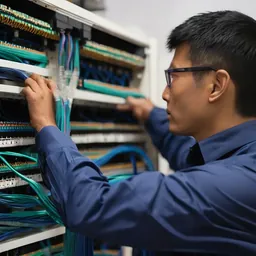 Structured CablingCat6/Cat6A and fiber, labeled at both ends, every link tested, drawings handed over. Cabling done right once lasts 15+ years.
 Enterprise LAN & SwitchingA core–access LAN with VLANs, redundant uplinks and enough PoE. One looped cable no longer takes down the whole building.
 SD-WAN for BranchesProvincial branches run two internet links at once. If one fails, the other takes over within seconds, and everything is…
 Fiber Backbone & Campus LinksFiber between floors, buildings and sites at 10–100 Gbps. It doesn't conduct, so lightning can't ride it from one building to the…
 Point-to-Point Wireless LinksPtP/PtMP radio links over several kilometres for buildings and sites you can't cable, across roads and rivers.
 Industrial Networking (OT)Hardened switches that survive dust, heat and vibration, with ring redundancy and IT/OT separation for plants and mines.
Send us a floor plan or a few photos of the site
We’ll come back with a few questions, then a first design. The first consultation is free, in Lao, Thai or English, on WhatsApp or our Facebook page.