 Networking
Enterprise LAN & Switching
A core–access LAN with VLANs, redundant uplinks and enough PoE. One looped cable no longer takes down the whole building.
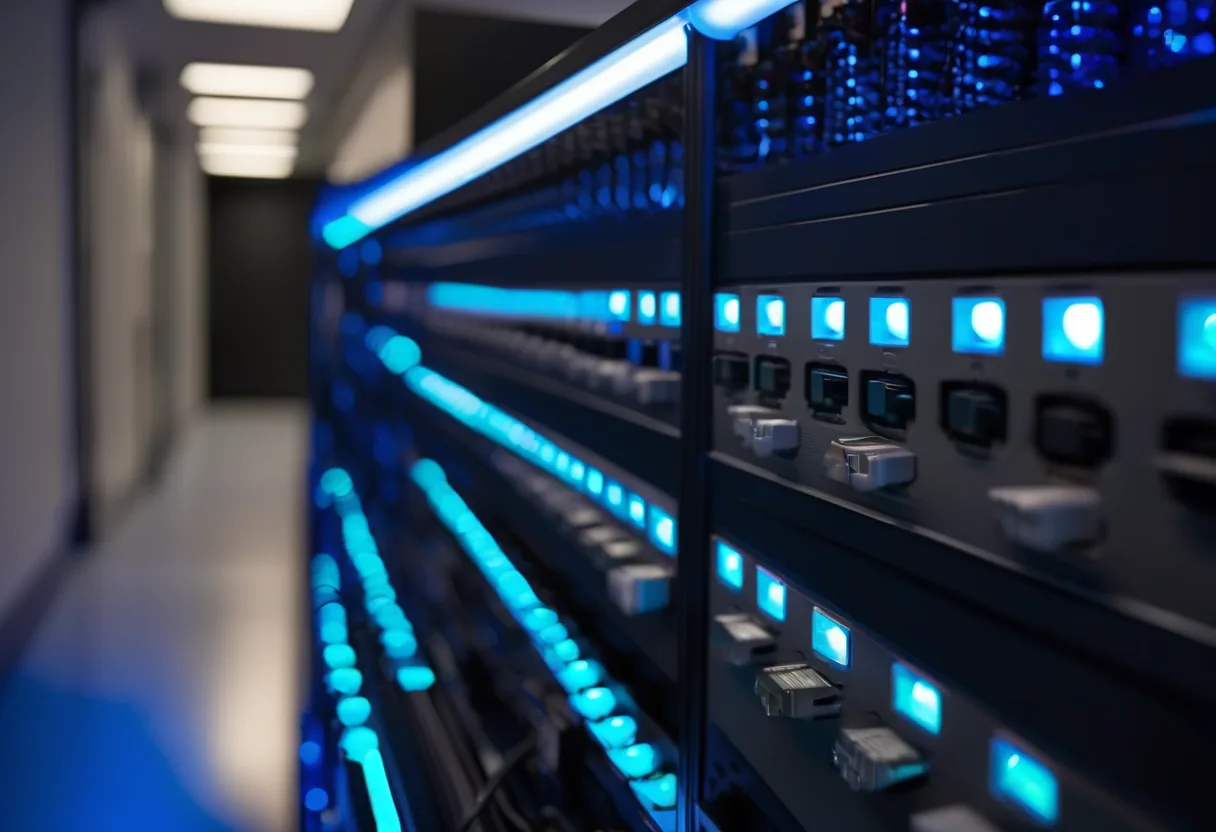
What we usually find on site
We often find cheap unmanaged switches daisy-chained under desks and in ceilings. One wrongly plugged cable creates a loop and the whole building goes offline. Cameras, phones and PCs share one flat network, so malware spreads freely.
We build LANs in layers. A core/distribution layer interconnected at 10/25 Gbps, and an access layer that delivers PoE to APs, cameras and IP phones. Most organizations with 50–300 people don't need three tiers. A pair of collapsed-core switches in a stack or MLAG pair does the job for less.
Segmentation with VLANs
Staff, servers, CCTV, VoIP, guest Wi-Fi and device management each get their own VLAN. Traffic between them goes through the core or the firewall with explicit rules. There is no reason a camera should be able to reach the accounts PC.
Stable and auditable
We turn on RSTP/MSTP with BPDU guard on user ports, LACP for uplinks, DHCP snooping, dynamic ARP inspection and voice QoS. Every switch is built from the same template and its config is backed up automatically.
One thing people forget: power. Between about 17:00 and 19:00 the supply in many parts of Vientiane is unsteady. When a PoE switch reboots, every camera and phone on it goes dark too. So the core and PoE switches always get a UPS.
What it does
Core–access design
10/25 Gbps uplinks, redundant through stacking or MLAG.
VLANs and inter-VLAN routing
Staff, servers, CCTV, VoIP and guests can't see each other unless a rule allows it.
A PoE budget that adds up
802.3af/at/bt. We add up every device's wattage and leave 20–30% headroom for next year's extra cameras.
Port-level protection
DHCP snooping stops the home router someone plugs in; BPDU guard stops loops.
QoS for voice and video
DSCP marking for VoIP and meetings, so calls don't break up when someone downloads a large file.
One place to manage it
Cloud controller or on-premise NMS, with nightly config backups.
Design and rollout
- 1
Count devices, users and PoE wattage
- 2
Design the IP plan, VLANs and topology
- 3
Build configs from templates and bench-test before going to site
- 4
Install and cut over after hours
- 5
Physically pull uplinks to prove failover, connect monitoring, hand over documents
Where it fits
- Head offices of 100–500 people with their own server room
- Banks and financial institutions isolating core systems from general users
- Hospitals with medical devices, cameras and phones on one infrastructure
- Government offices that need a stable, fully documented network
Typical system sizes
Small Business
Fits: 10–50 users, one site
- Managed or cloud-managed PoE switches
- 4–6 baseline VLANs
- IP plan document and config backup
Mid-size
Fits: 50–300 users, several floors
- Stacked collapsed core with 10G uplinks
- Port security, DHCP snooping and QoS
- Hooked into network monitoring
Enterprise / Campus
Fits: 300+ users or several buildings
- Dual core (MLAG/virtual chassis) at 25/100G
- 802.1X/NAC tied to your user directory
- Failover testing and an operations runbook
Brands we supply & install
All brand names and trademarks belong to their respective owners. Mention does not imply official partnership unless explicitly stated. Products are sourced through legitimate distribution channels.
FAQ
How does a managed switch differ from an unmanaged one?
A managed switch does VLANs, QoS, loop protection and tells you which port is misbehaving. An unmanaged one just forwards frames, and when something breaks you see nothing.
Cloud-managed or on-premise management?
With several sites and a small IT team, cloud is easier, but it carries an annual licence and some brands stop being manageable if you let it lapse. Organizations that must keep everything in-house should go on-premise.
Do switches really need a UPS?
Yes, especially PoE switches. A one-second flicker reboots every camera and phone, and repeated brownouts kill power supplies early. Even a 1–2 kVA UPS on a small rack makes a big difference.
Related guides
Designing an Office Network: What to Decide Before You Buy Anything
The order of decisions an engineer follows when designing LAN, Wi-Fi, firewall and power for a 20–300 person office in Laos, with a checklist and a phased budget.
VLAN Basics for Business: Keeping Guests, Cameras and Staff Apart
What a VLAN is, how 802.1Q tagging works, a sample VLAN/IP plan for a 100-person office, and how to migrate a live flat network without downtime.
Managed vs Unmanaged Switches: Why Boxes That Look Alike Aren't
How unmanaged, smart and fully managed switches differ, when unmanaged is still fine, Layer 2 versus Layer 3, and the eight settings every managed switch should have.
PoE Budget Explained: Powering Cameras and Access Points
Why cameras drop out at night when they worked fine all day: 802.3af/at/bt, how a switch actually allocates its PoE budget, and the UPS behind it.
Cat6 vs Cat6A vs Fiber: Which Cable Goes Where
Cable in the walls outlives several generations of switches. Speed, distance and where to use Cat6, Cat6A and fiber, a worked quantity example, and how to accept a…
Choosing Business Wi-Fi Access Points: What Matters Beyond the Box Speed
Wi-Fi 6, 6E or 7, cloud or controller, indoor or outdoor: what an engineer checks before ordering APs, including the 6 GHz and country-SKU question and a first estimate…
Related solutions
Networking
 Structured CablingCat6/Cat6A and fiber, labeled at both ends, every link tested, drawings handed over. Cabling done right once lasts 15+ years.
 Enterprise Wi-FiWi-Fi 6/6E/7 with APs placed from real measurements. Works in a full meeting room, holds calls while you walk, secured with WPA3.
 SD-WAN for BranchesProvincial branches run two internet links at once. If one fails, the other takes over within seconds, and everything is…
 Fiber Backbone & Campus LinksFiber between floors, buildings and sites at 10–100 Gbps. It doesn't conduct, so lightning can't ride it from one building to the…
 Point-to-Point Wireless LinksPtP/PtMP radio links over several kilometres for buildings and sites you can't cable, across roads and rivers.
 Industrial Networking (OT)Hardened switches that survive dust, heat and vibration, with ring redundancy and IT/OT separation for plants and mines.
Send us a floor plan or a few photos of the site
We’ll come back with a few questions, then a first design. The first consultation is free, in Lao, Thai or English, on WhatsApp or our Facebook page.