 Networking
SD-WAN for Branches
Provincial branches run two internet links at once. If one fails, the other takes over within seconds, and everything is encrypted.

What we usually find on site
Most provincial branches have a single internet link, and roadside fiber gets cut by trucks hitting poles or by roadworks more often than anyone likes. When it drops, POS, accounting and ERP stop. Leased MPLS is expensive and slow to arrive.
SD-WAN builds encrypted (IPsec) tunnels over a mix of links, fiber, 4G/5G and leased lines, from more than one provider. The branch box measures latency, jitter and packet loss on every link continuously and sends each application down whichever path is best right now.
Why it fits Laos
Here, two ISPs isn't a luxury. The combination we use most: fiber from one provider plus 4G from another. They don't share a route, so they rarely fail together. When the fiber goes, tunnels move to 4G within seconds. Sales staff often don't notice.
One caveat: 4G is weak in some towns. We measure signal at the actual branch before choosing a carrier, and some sites need an external antenna.
Management and security
Policy is set once, centrally, and pushed to every branch. Most SD-WAN appliances include NGFW functions or tie into SASE. New branches are zero-touch: ship the box, someone plugs it in, it pulls its own config. Nobody has to drive all day to Pakse just to set up a router.
What it does
Several ISPs, all active
Fiber, 4G/5G and leased lines all carry traffic, not a backup that sits idle.
Application-aware routing
ERP and VoIP take the best link. YouTube and Windows updates take the cheaper one.
Automatic IPsec
Branch-to-HQ tunnels build themselves; no hand-built VPN pairs.
Zero-touch provisioning
New branches go live without an engineer on site.
Built-in NGFW
IPS, web filtering and application control at the branch.
Every branch on one dashboard
See at a glance which branch is running on 4G and whose ISP needs a call.
Design and rollout
- 1
List branches, the ISPs actually available in each town, and critical apps
- 2
Design hub-and-spoke or full-mesh and path policies
- 3
Deploy a redundant hub pair at HQ or the data center
- 4
Template branch configs and ship zero-touch boxes
- 5
Test failover branch by branch and turn on alerts
Where it fits
- Banks and microfinance lenders with service units across provinces
- Retail and restaurant chains on cloud POS
- Mining and construction firms linking sites back to Vientiane
- Logistics companies with warehouses and border-crossing offices
Typical system sizes
Starter
Fits: 2–5 sites
- SD-WAN/NGFW box per site
- Two links per site (fiber + 4G)
- Single hub at HQ
Multi-branch
Fits: 6–30 sites
- Dual hubs and per-application policy
- Zero-touch provisioning
- Dashboard and monthly report
Nationwide
Fits: 30+ sites or a SASE requirement
- SASE/ZTNA for people working off-site
- Multiple hubs and segmentation
- Optional 24/7 monitoring by our team
Brands we supply & install
All brand names and trademarks belong to their respective owners. Mention does not imply official partnership unless explicitly stated. Products are sourced through legitimate distribution channels.
FAQ
Can SD-WAN replace MPLS?
For most applications, yes. The safer route: run SD-WAN alongside existing MPLS for two or three months, look at the data, then scale MPLS down.
How many internet links do I need?
At least two, from different providers over different paths. Two fibers hanging on the same poles can be cut together.
Does each branch need its own firewall?
Usually not; many SD-WAN boxes include NGFW. But check that the quote includes the security subscription. Without it, IPS and web filtering simply don't run.
Related guides
SD-WAN vs MPLS: Connecting Provincial Branches to Head Office
MPLS, traditional IPsec VPN and SD-WAN compared for organizations with branches across several provinces, the questions to ask vendors, and a migration order that keeps…
Internet Redundancy with Dual ISPs: When the Fiber Gets Cut
Failover or load balancing, how to pick two providers that won't fail together, the equipment you need, and how to test failover so you know it really works.
Sizing a Firewall: What Really Separates UTM from NGFW
Why the internet slows down after a new firewall goes in, which datasheet number to size against, and what to check before paying when the unit ships from Thailand to…
Secure Remote Access: When VPN Is Enough and When to Move to ZTNA
How remote-access VPN and Zero Trust Network Access differ in practice, what to fix in your current VPN first, and how to handle vendors who want remote access.
Related solutions
Networking
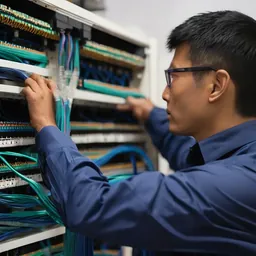 Structured CablingCat6/Cat6A and fiber, labeled at both ends, every link tested, drawings handed over. Cabling done right once lasts 15+ years.
 Enterprise LAN & SwitchingA core–access LAN with VLANs, redundant uplinks and enough PoE. One looped cable no longer takes down the whole building.
 Enterprise Wi-FiWi-Fi 6/6E/7 with APs placed from real measurements. Works in a full meeting room, holds calls while you walk, secured with WPA3.
 Fiber Backbone & Campus LinksFiber between floors, buildings and sites at 10–100 Gbps. It doesn't conduct, so lightning can't ride it from one building to the…
 Point-to-Point Wireless LinksPtP/PtMP radio links over several kilometres for buildings and sites you can't cable, across roads and rivers.
 Industrial Networking (OT)Hardened switches that survive dust, heat and vibration, with ring redundancy and IT/OT separation for plants and mines.
Send us a floor plan or a few photos of the site
We’ll come back with a few questions, then a first design. The first consultation is free, in Lao, Thai or English, on WhatsApp or our Facebook page.