Services
Site survey, design, installation, training and the maintenance contract after go-live. Hire us for one step or the whole job.

Consulting & Design
IT designed around your operation and budget, finished before the first device is ordered.
Most of the troubled projects we're called in to fix weren't caused by bad equipment. They were caused by design: a switch without the PoE budget for the cameras added later, Wi-Fi planned for floor area instead of headcount, or an office that stops completely when its single internet line goes down.
We start with questions, not a product list. How many users, how many sites, what gets added in the next three years, and which system costs the business most when it stops. Then we design:
- Network diagrams (logical and physical), VLAN and IP plans
- Security architecture: firewalls, segmentation and remote access
- CCTV, servers, UPS and communications
- A Bill of Materials (BOM) with options across brands and tiers
We aren't tied to any brand. We pick what fits the job, survives Lao heat and humidity, has spares available through Thailand, and your team can maintain. For offices under 50 people we usually recommend cloud-managed equipment over an on-premises controller, because it's one less server to look after.
All documents can be delivered in Lao, Thai or English for procurement and approval.
How we work
- 01
Discovery
Talk to management and IT about goals, current problems and budget.
- 02
Assess what you have
Review existing equipment, network and security, and tell you what can stay so you don't replace everything.
- 03
Design and options
Diagrams and a BOM with 2–3 tiers, each spelling out what you gain and what you give up.
- 04
Review and approve
Refine the design with your team until it's ready for procurement.
- 05
Implementation roadmap
Set phases and sequencing, including lead times from Thailand, so day-to-day work is disrupted as little as possible.
Site Survey
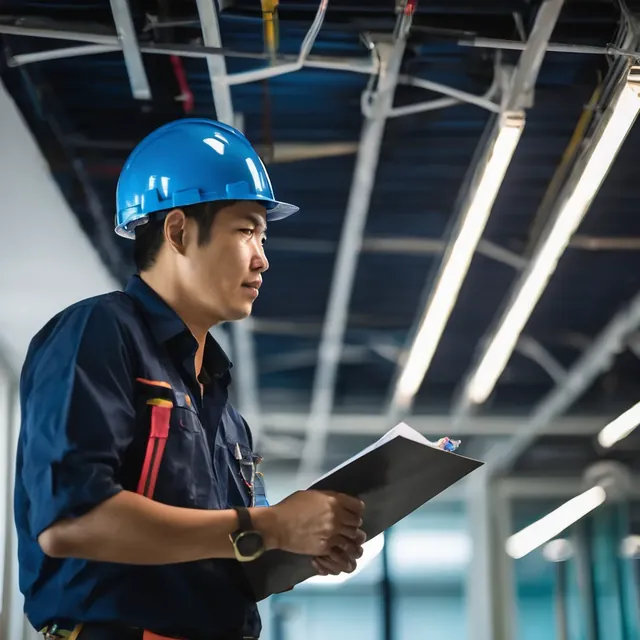
We walk the site, measure cable routes, test Wi-Fi, and check power and the server room before we quote.
A quote made without a site visit usually misses something: a cable run longer than expected, concrete walls that block Wi-Fi, no power near a camera position, a landlord who won't allow drilling, or a server room that hits 35 °C in the afternoon. Found late, each of these becomes a variation or a delay.
What we check:
- Cable routes and distances between cabinets. Copper has a 90 m permanent-link limit; beyond that you need another cabinet or fiber.
- Wi-Fi coverage and interference with survey tools. For complex buildings we do AP-on-a-stick: mount a temporary AP and measure real signal.
- Camera positions, fields of view, night lighting and mounting height. A camera facing west sees nothing but sun in the late afternoon.
- Server room: voltage, earthing, cooling and a lockable door.
- Wireless line of sight for links between buildings or to remote sites, including trees that will grow in the next few years.
Our team travels to every province, mine and dam sites included, and follows site safety rules (PPE, induction, permit to work).
How we work
- 01
Schedule and prepare
Get floor plans (a phone photo is fine) and confirm site safety requirements.
- 02
Walk-through survey
Measure, photograph and test signal at every relevant point.
- 03
Check power and environment
Measure voltage, earthing and temperature, and look for dust at installation points.
- 04
Report and recommend
A report with photos, drawings and recommendations, ready to design and quote from.

Installation & Integration
Our engineers install, configure and test, then hand over with documentation someone else could maintain it from.
You can see a good installation the moment you open the rack: tidy cabling, every cable labelled at both ends, devices configured to a standard, and test results to show for it.
What we install:
- Copper and fiber structured cabling, certified with a cable certifier and labelled throughout
- Switches, routers, firewalls and Wi-Fi with hardened configs: default passwords changed, unused services off, firmware current
- CCTV, NVR/VMS, access control and time attendance
- Servers, storage, virtualization and backup
- UPS, racks and server rooms
The hard part is integration: getting multi-brand systems to work together. Cameras sending events to monitoring, attendance terminals feeding payroll, firewalls identifying users from the directory.
Where the old system is still live, we cut over after hours or at the weekend, with a rollback plan written beforehand.
How we work
- 01
Project planning
Agree the schedule, owners and any downtime windows.
- 02
Staging
Update firmware and pre-configure equipment in Vientiane before going to site, especially for provincial jobs.
- 03
On-site installation
Run cable, mount equipment and dress racks to the design.
- 04
Integrate and test
Test cabling, failover, recording and backup restores against an acceptance checklist.
- 05
Handover and training
Formally hand over documents and credentials, and train users and administrators.

Maintenance (MA)
Scheduled checks, response times written into the contract, and warranty claims handled for you, so equipment doesn't fail without anyone noticing.
IT equipment in Laos has to cope with heat, humidity, dust and brownouts, especially between 17:00 and 19:00 when every household turns on the air conditioning. What we find most often: switch fans clogged with dust, UPS batteries that are finished but still show a green light, and NVR disks that failed weeks ago without anyone noticing until the day footage was needed.
An MA contract covers:
- Preventive maintenance (PM) on a schedule: cleaning, temperature checks, UPS battery tests under load, log review and disk-health checks
- Planned firmware and patch updates, after testing
- Troubleshooting, remotely first, with an engineer on site within the agreed response time (SLA)
- Warranty handling: we work with distributors in Thailand to file claims and arrange replacements. Where we know a claim will take a while, we recommend keeping spares for critical devices
- Reports on system health and a list of devices approaching end of support
Scope is set by number of devices, number of sites, response times and PM frequency.
How we work
- 01
Asset inventory
Record every device, its age and warranty end date.
- 02
Define the SLA
Agree response times, how to report issues (phone, WhatsApp, email) and PM frequency.
- 03
Preventive maintenance
Scheduled visits that fix weak points before they fail.
- 04
Respond and resolve
Fix remotely first; send an engineer when needed.
- 05
Report and review
Periodic reports, and a review of the refresh plan ahead of the budget cycle.

Managed IT Services
An outside IT team that watches your systems, checks backups daily and answers your users in Lao, Thai and English.
Many mid-sized Lao organizations have one or two IT staff doing everything from fixing printers to running the firewall. In that situation the non-urgent jobs, checking backups and patching, slide until the day they matter.
Managed services do those jobs on a schedule:
- Monitoring of network, servers, internet links and UPS, with automatic alerts
- A help desk for users in Lao, Thai and English
- Patch management for Windows, servers and network devices
- Backup management: daily checks that jobs succeeded, and periodic test restores. A backup that has never been restored is only a hope
- Firewall and endpoint security management: rule reviews, updates and alert follow-up
- Microsoft 365 / Google Workspace administration: joiners and leavers, MFA and licensing
Every month you get a plain report: how many backups succeeded, how many patches are outstanding, and what incidents occurred. That record helps with internal audits and budget decisions.
How we work
- 01
Onboarding
Document systems, store credentials in a secure vault and deploy monitoring agents.
- 02
Baseline hardening
Fix what we find in month one. Most common: backups that have been failing for a while and admin accounts without MFA.
- 03
Day-to-day operations
Monitor, respond to alerts and support users within the SLA.
- 04
Monthly reporting
Incidents, backup and patch status, and risks found.
- 05
Quarterly review
Sit down with management to plan improvements and budget.

Security Assessment
Find vulnerabilities, review configurations against good practice, and tell you what to fix first.
You can't protect what you can't see. An assessment shows the risks that are actually there and puts them in the order they should be fixed.
You choose the scope:
- Vulnerability assessment: scanning servers, network devices and websites for known vulnerabilities
- Configuration review of firewalls, Wi-Fi, Active Directory and Microsoft 365/Google Workspace. Common finds: an "any-any" rule added temporarily and forgotten, and accounts of staff who left months ago that still work
- Backup and recovery review: is there an offline copy, has a restore ever been tested, and how long did it take?
- Simulated phishing (with management approval)
- Good-practice gap review: is there an incident-response plan, are staff trained regularly, are backups kept in more than one place, and are there enough logs to investigate an incident?
All testing runs under a written scope and authorization. We avoid tests that could disrupt production or OT systems. You get a risk-ranked report: one page for management, and detail the IT team can act on straight away.
How we work
- 01
Scope and authorization
Agree target systems and timing, and sign a written authorization.
- 02
Information gathering
Read policies and diagrams, and talk to the IT team.
- 03
Testing and review
Scan, review configurations and verify findings by hand to remove false positives.
- 04
Report and present
Executive summary and technical detail, in priority order.
- 05
Retest
After fixes, retest to confirm the issues are really closed.

Training
Cyber-awareness training for staff and technical courses for IT teams, in Lao, Thai or English, using examples your people actually see.
Most cyber incidents start with a person: a link in a fake WhatsApp message, the same password everywhere, or a payment sent on an email impersonating the boss. The best firewall can't stop someone typing their password into a fake login page. Regular training is one of the best-value controls there is.
Courses:
- For all staff: phishing by email and chat apps, passwords and MFA, public Wi-Fi, and who to tell if something looks wrong
- For executives: business risk, business email compromise (BEC), and what management does when an incident happens
- For IT teams: hands-on firewall and switch configuration, VLANs, Wi-Fi, backup and incident response
- For system operators: using the CCTV VMS, access-control software and the other systems we install
On site or online. We use examples staff in Laos actually run into, not material translated from abroad. Every course comes with attendance records and a quiz, so you know who has been trained and who needs a refresher.
How we work
- 01
Needs analysis
Identify audiences, skill levels and language.
- 02
Adapt content
Build examples from your own systems and risks.
- 03
Deliver sessions
Interactive sessions with hands-on exercises.
- 04
Measure
Quizzes and before-and-after phishing simulations, to see whether behaviour actually changed.

Procurement & Sourcing
We source every major IT brand through distributors in Thailand, import it to Laos, and act as your single contact for warranty.
Many enterprise IT models are hard to buy in Laos, or come with few options. We source through distributors in Thailand with broad stock, then handle the whole import.
Where orders usually go wrong, and what we do about it:
- Model and part number: the same product can come in a Thai-market version and versions for other countries, with different power supplies, Wi-Fi bands or warranty terms. We check part numbers, licences and accessories (SFPs, adapters, mounts) before ordering.
- Shipping and import: we coordinate cross-border transport and customs paperwork through to your site. We tell you the real lead time for each line before you order, including items built to order that take several weeks.
- Paperwork: invoices, packing lists and serial numbers for your asset register.
- Warranty: we're your single contact. We take the report, diagnose the fault, file the claim through the distributor and return the unit. You don't ship anything across the border yourself.
Brands listed are brands we supply and install; this does not imply an official partnership.
Already have a BOM? Send it to us and we'll check the part numbers and give you a lead time for each line.
How we work
- 01
Receive the requirement
Take your BOM, or help you pick suitable models.
- 02
Validate and quote
Check part numbers and compatibility; state lead times and warranty terms.
- 03
Order from Thai distributors
Place orders and track them until goods are ready to ship.
- 04
Ship and import
Handle cross-border transport and customs paperwork into Laos.
- 05
Inspect and deliver
Check condition and serials; deliver with documents or pass to the installation team.
- 06
Warranty support
When something fails, we diagnose it and run the claim for you.
Send us a floor plan or a few photos of the site
We’ll come back with a few questions, then a first design. The first consultation is free, in Lao, Thai or English, on WhatsApp or our Facebook page.