 Networking
Network Monitoring (NMS)
Every device, link and internet circuit on one screen, with alerts that reach IT before the first user calls.

What we usually find on site
Most IT teams find out the network is down when someone phones. With no history they can't say whether the ISP dropped, a switch overheated or a link filled up. When they call the ISP there's no evidence, and the answer is usually "everything is fine on our side".
An NMS collects data from every device over SNMP, ICMP, NetFlow/sFlow, syslog and APIs: routers, switches, firewalls, APs, servers, UPS units and CCTV cameras. When something crosses a threshold it alerts by email, Telegram, LINE or WhatsApp.
What we monitor at a minimum
- Up/down and latency for every device and every internet circuit
- Bandwidth per port and who is using the most (top talkers)
- CPU, memory, temperature, fans and UPS batteries
- Config changes and key security logs
The third item gets forgotten, but in Laos it matters. A "UPS on battery" alert at 18:00 tells you how many minutes you have before the server room goes dark.
Open source or vendor tools
Most of the time we use Zabbix: open source, scalable, and it watches every brand. If everything is one vendor, that vendor's dashboard (a cloud controller, say) may be enough. Monthly uptime reports give management real numbers when deciding whether to change ISP or replace switches.
What it does
Live dashboards
Network maps and live status of every device.
Instant alerts
Email, Telegram, LINE or WhatsApp, routed by severity.
Traffic analysis
NetFlow/sFlow shows who and what is eating bandwidth.
Evidence for your ISP
Latency and loss history as graphs you can send straight to the provider.
UPS and temperature
Know immediately when power fails or the server-room aircon stops.
Monthly reports
Uptime, utilisation and trends for management.
Design and rollout
- 1
List devices and agree what to monitor
- 2
Deploy the NMS (VM or appliance) and branch proxies
- 3
Enable SNMPv3, syslog and NetFlow securely
- 4
Build dashboards, thresholds and alert routing
- 5
Tune until alerts mean something, then train the team
Where it fits
- Multi-branch organizations watching every province on one screen
- Banks needing uptime reports for internal audit
- Mines and plants that need to know the moment a switch or radio link drops
- Hotels catching Wi-Fi and ISP problems before guests complain
Typical system sizes
Essential
Fits: Up to 50 devices, one site
- Up/down and bandwidth monitoring
- Email/Telegram alerts
- Baseline dashboards
Multi-site
Fits: 50–500 devices, several sites
- NetFlow and ISP monitoring
- Branch proxies and network maps
- Monthly uptime reports
Managed NOC
Fits: You want us to watch and act on alerts
- Our team receives alerts and acts on them
- We chase the ISP for you
- Quarterly reviews
Brands we supply & install
All brand names and trademarks belong to their respective owners. Mention does not imply official partnership unless explicitly stated. Products are sourced through legitimate distribution channels.
FAQ
Is Zabbix really free?
The software is free, with no licence fee. What it costs is time to deploy, tune and look after. We can do that, or teach your team to.
Won't we be flooded with alerts?
For the first couple of weeks, maybe. We tune thresholds and set dependencies: if a branch router is down you get one alert, not one per switch behind it. After that, every alert means something.
Does it need its own server?
Usually a VM on existing infrastructure or a small dedicated box. It must sit behind a UPS. An alerting system that dies with the power is no use to anyone.
Related guides
Introduction to Network Monitoring: Know Before the Phone Rings
What to watch, what SNMP, syslog and NetFlow are each for, how to alert without exhausting the team, and how a mid-size organization in Laos can get started.
Internet Redundancy with Dual ISPs: When the Fiber Gets Cut
Failover or load balancing, how to pick two providers that won't fail together, the equipment you need, and how to test failover so you know it really works.
Managed vs Unmanaged Switches: Why Boxes That Look Alike Aren't
How unmanaged, smart and fully managed switches differ, when unmanaged is still fine, Layer 2 versus Layer 3, and the eight settings every managed switch should have.
Choosing an IT Vendor in Laos: Questions to Ask Every Provider, Including Us
A neutral checklist for judging IT vendors: who actually does the work, where the equipment comes from, whether the warranty works in Laos, SLAs, documentation and red…
Hotel Wi-Fi Design Guide: From Guest Rooms to Ballrooms and Garden Villas
In-room AP placement, a captive portal tied to the PMS, keeping guests away from hotel systems, a worked bandwidth example, and what is specific to hotels in Laos.
Designing an Office Network: What to Decide Before You Buy Anything
The order of decisions an engineer follows when designing LAN, Wi-Fi, firewall and power for a 20–300 person office in Laos, with a checklist and a phased budget.
Related solutions
Networking
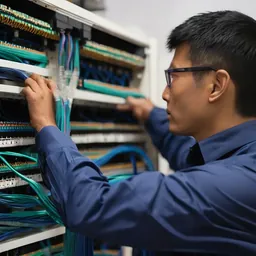 Structured CablingCat6/Cat6A and fiber, labeled at both ends, every link tested, drawings handed over. Cabling done right once lasts 15+ years.
 Enterprise LAN & SwitchingA core–access LAN with VLANs, redundant uplinks and enough PoE. One looped cable no longer takes down the whole building.
 Enterprise Wi-FiWi-Fi 6/6E/7 with APs placed from real measurements. Works in a full meeting room, holds calls while you walk, secured with WPA3.
 SD-WAN for BranchesProvincial branches run two internet links at once. If one fails, the other takes over within seconds, and everything is…
 Fiber Backbone & Campus LinksFiber between floors, buildings and sites at 10–100 Gbps. It doesn't conduct, so lightning can't ride it from one building to the…
 Point-to-Point Wireless LinksPtP/PtMP radio links over several kilometres for buildings and sites you can't cable, across roads and rivers.
Send us a floor plan or a few photos of the site
We’ll come back with a few questions, then a first design. The first consultation is free, in Lao, Thai or English, on WhatsApp or our Facebook page.