Microsoft
For most organizations Microsoft means Microsoft 365: Outlook/Exchange Online, Teams and OneDrive. Business Premium adds Intune, Entra ID and Defender, which companies often pay for and never switch on. Windows Server and Hyper-V still run in plenty of server rooms.
- Headquarters
- United States
- Positioning
- EntryMid-marketEnterprise
- Official website
- www.microsoft.com
Who it suits
Organizations whose finance and admin teams live in Excel and Outlook and need company-domain email with MFA.
Overview
Microsoft for organizations
Microsoft is headquartered in Redmond, Washington, in the United States. For most organizations in Laos, Microsoft means three things: Microsoft 365 (email, Teams, OneDrive and Office), Windows on PCs, and Windows Server in the server room. What many people don't realise is that some Microsoft 365 plans already include security and device management tools.
The Microsoft 365 plans you will meet
- Business Basic / Business Standard: Exchange Online, Teams, OneDrive, SharePoint. Standard adds installed desktop Office.
- Business Premium: adds Microsoft Entra ID P1 (formerly Azure AD) for MFA and Conditional Access, Microsoft Intune for managing PCs and phones, and Defender for Business (EDR) plus Defender for Office 365 for phishing filtering. All Business plans together are capped at 300 users per tenant.
- E3 / E5: for organizations above 300 people. E5 includes Defender for Endpoint Plan 2 and the full security stack.
Since 2024 Microsoft also sells suites without Teams to new customers worldwide, so check whether Teams is on the quotation.
Server room and lifecycle
Windows Server 2025 shipped at the end of 2024 and includes Hyper-V for virtualization, one of the options for organizations leaving VMware. Dates to remember: Windows 10 and Exchange Server 2016/2019 reached end of support on 14 October 2025. Anyone still running them no longer gets free security patches and should plan an upgrade, or move mail to Exchange Online.
Azure is Microsoft's cloud for servers, backup and disaster recovery. For organizations of 10 to 300 people we usually recommend Business Premium, because one licence replaces separate antivirus, MDM and email filtering products.
Strengths
- Business Premium bundles MFA, device management (Intune), EDR and phishing filtering in one licence. Organizations already paying for it often use less than half.
- Finance and admin staff in Laos already work in Excel and Word, so there is no retraining, and files sent to agencies or banks open correctly.
- Entra ID becomes the central identity for single sign-on into other systems, including VPNs, firewalls and any software that supports SAML.
- Hyper-V comes with Windows Server, giving small server rooms a virtualization option without a separate hypervisor licence.
Things to know before choosing
- Microsoft licensing is confusing: plan names change, suites come with or without Teams, and there are many add-ons. Check every line before renewing, and don't buy E3 for staff who only use email.
- Business plans are capped at 300 users across all Business plans in one tenant. Organizations growing towards 300 people need to plan a move to E3 or E5 in advance.
- Microsoft 365 data sits in data centres outside Laos and everything depends on internet access. Deleted files or ransomware synced to OneDrive can still hurt you, so keep a separate Microsoft 365 backup.
- Windows 10 PCs have had no free patches since October 2025. Some older PCs cannot move to Windows 11 because they lack TPM 2.0 or their CPU is too old.
Using it in Laos
Microsoft 365 is the most common email and document platform in banks, mining companies, international organizations and foreign-owned firms in Laos. Licences are bought through cloud resellers (CSPs) in Thailand or the region, paid monthly or yearly.
What we often find:
- Company-domain email set up halfway: no SPF, DKIM or DMARC, so your mail lands in partners' junk folders and is easy to spoof.
- MFA not enabled: a stolen mailbox is the most common starting point for payment fraud. Turn on MFA for everyone, finance staff first.
- Internet: an office on a single line stops working when that line drops. Consider a backup link, and let Outlook keep mail cached locally.
- Language: Office and Windows handle Lao typing and the Phetsarath OT font well.
Technicians with basic Microsoft 365 skills are easy to find in Laos; people who can set up Intune and Conditional Access properly are still rare.
Compared with alternatives
Google Workspace suits teams that work mainly in the browser and on phones and don't need advanced Excel; it is simpler to set up and run. For server-room virtualization, Proxmox is an alternative to Hyper-V with no hypervisor licence fee, while VMware still suits organizations with an existing team and estate. For EDR, ESET or Sophos are the alternatives when you are not on Business Premium.
Product lines
- Microsoft 365
- Microsoft Teams
- Exchange Online
- Microsoft Entra ID
- Microsoft Intune
- Microsoft Defender for Endpoint
- Microsoft Defender for Office 365
- Windows Server
- Hyper-V
- Azure
Solutions that use this brand
 Microsoft 365 for BusinessLicensed Exchange email, Teams, OneDrive and Office, with MFA, Intune and Defender switched on from day one, not after the first…
 Business Email & DomainDomains (.la, .com) registered in your company's name, and business email with SPF, DKIM and DMARC so mail reaches inboxes and…
 Cloud MigrationDecide what belongs in the cloud and what should stay, then move in stages with your internet link and monthly bill in mind.
 Email SecurityStop phishing, fake boss and fake supplier emails (BEC) and malicious attachments with filtering, SPF/DKIM/DMARC and sandboxing.
 Endpoint Protection & EDREDR that watches behaviour, not just virus lists. It stops ransomware mid-run and cuts an infected PC off the network at once.
 Server VirtualizationCollapse a room of ageing servers into one cluster on VMware, Proxmox, Nutanix or Hyper-V, so one dead host no longer stops the…
 IT Asset ManagementAn IT asset register that keeps itself current: devices, licences, warranties and lifecycle, with patching and remote management.
 Video Conferencing RoomsTeams, Zoom and Google Meet rooms that start with one tap, with cameras, mics, speakers and displays chosen for the room's size…
 Secure Remote Access (VPN/ZTNA)Staff and contractors reach internal systems from anywhere through VPN or ZTNA with MFA, seeing only what they need.
 Zero Trust & Network Access Control (NAC)Check every user and device before it joins, with 802.1X and NAC. Plugging into a LAN port no longer means reaching the servers.
 SOC & SIEM MonitoringFirewall, server and endpoint logs in one SIEM, with people watching the alerts and a clear plan for when something happens.
 Vulnerability Assessment & Penetration TestingScan and test systems, websites and networks to find weaknesses before someone else does, with a report ordered by what to fix…
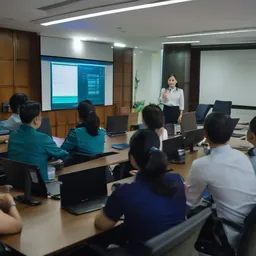 Security Awareness TrainingStaff training in Lao, Thai and English using examples they actually see, plus simulated phishing to measure real improvement.
 Hyperconverged Infrastructure (HCI)Compute, storage and virtualization in the same nodes; add a node when you need more. Built for 1–3 person IT teams with no SAN…
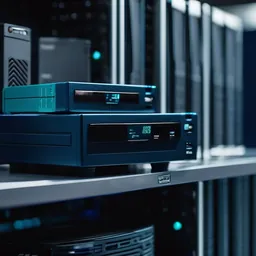 Backup & Disaster Recovery3-2-1 backups with an immutable copy ransomware cannot delete, and restores that are actually tested, not just green job reports.
 Contact CenterContact center with ACD queues, IVR, recording, live dashboards and chat for banks, hospitals, logistics and customer service…
 Digital SignageCentrally managed screens for lobbies, restaurants, factories and branches, with content scheduling in three languages.
FAQ
We already have Business Premium. Do we still need to buy antivirus?
Usually not. The included Defender for Business is real EDR, but devices must be onboarded and policies configured; it does not switch itself on. We recommend confirming every PC appears in the console before cancelling the old antivirus.
We still run Exchange Server on-premises. What should we do?
Exchange 2016 and 2019 reached end of support in October 2025, and internet-facing mail servers are a common attack target. For most organizations moving to Exchange Online is simpler. If mail must stay on-site, upgrade to Exchange Server Subscription Edition.
Can we mix Microsoft 365 and Google Workspace?
Technically yes, for example Gmail for mail and Office licences only for the finance team. But you then manage users and security in two places. For a small organization, one main platform plus whatever is missing is easier to run.
All brand names and trademarks belong to their respective owners. Mention does not imply official partnership unless explicitly stated. Products are sourced through legitimate distribution channels.
Send us a floor plan or a few photos of the site
We’ll come back with a few questions, then a first design. The first consultation is free, in Lao, Thai or English, on WhatsApp or our Facebook page.