 Data Center & Servers
Backup & Disaster Recovery
3-2-1 backups with an immutable copy ransomware cannot delete, and restores that are actually tested, not just green job reports.
What we usually find on site
We often find backups that "run every night" but have never been restored, or that sit on a NAS joined to the same domain as the servers. Ransomware encrypts the backups first, then the servers. Another common one: every backup sits in the same room as the servers, so a single fire or flood takes out both.
The 3-2-1 rule (and 3-2-1-1-0)
- 3 copies of your data
- 2 different media types
- 1 copy off-site
- 1 copy immutable or offline
- 0 errors when you test a restore
The "0" is the one most people forget.
Agree RPO and RTO first, then choose tools
RPO is the most data you can afford to lose (say, 1 hour). RTO is how fast systems must be back (say, 4 hours). Ask management how many hours ERP can be down before it costs real money. That answer sets the budget.
Off-site copies on a slow uplink
Options include a NAS at another branch, cloud object storage with object lock, or a DR site for VM replication. Upload speeds in Laos are often far below download, so we seed the first full backup on disk and then send only deduplicated incrementals overnight. At least one copy must live in a different building from the servers.
Not sure your current backup actually restores? Let us restore one server in front of your team and find out.
What it does
Immutable backups
Copies that cannot be deleted or changed for a set period, even from a compromised admin account.
VM & physical backup
Covers VMware, Hyper-V, Proxmox, Nutanix and Windows/Linux servers.
Microsoft 365 backup
Independent copies of Exchange, OneDrive, SharePoint and Teams.
Automated restore testing
Boot VMs from backup in an isolated network, confirm they start, and report.
Instant recovery
Run VMs straight from backup storage while the full restore completes.
DR plan & runbook
Written recovery steps your team can follow at 2 a.m. under pressure.
Design and rollout
- 1
Tier systems and agree RPO/RTO with management.
- 2
Deploy backup server and repository outside the production domain.
- 3
Configure an immutable second copy (hardened Linux repository or object lock).
- 4
Ship an off-site copy to a branch or the cloud.
- 5
Test restores, write the runbook and review every quarter.
Where it fits
- Banks and financial institutions needing a DR site and regular drills.
- Mining companies sending site backups back to Vientiane.
- Hospitals protecting patient records from ransomware.
- SMEs backing up accounting systems and Microsoft 365.
Typical system sizes
Essential
Fits: SME, 1–5 servers
- Backup to NAS plus cloud copy
- Daily job reports
- Quarterly restore test
Business
Fits: Virtualized, 10–50 VMs
- Hardened immutable repository
- Microsoft 365 backup
- Runbook and automated testing
DR Site
Fits: Critical systems needing low RTO
- VM replication to a DR site
- Annual failover drill
- Audit-ready documentation
Brands we supply & install
All brand names and trademarks belong to their respective owners. Mention does not imply official partnership unless explicitly stated. Products are sourced through legitimate distribution channels.
FAQ
Doesn't Microsoft 365 already back up our data?
Microsoft keeps the service running, but deleted items are kept only for a limited time (weeks, not years). If you discover three months later that someone deleted a key folder, only an independent backup will help.
How often should we test restores?
Critical systems at least quarterly, and after every major change such as an ERP upgrade or server move.
Can we back up to the cloud on a slow connection?
Yes. Seed the first full backup on disk, then send only deduplicated, compressed incrementals overnight. We calculate from your real upload bandwidth before promising it fits.
How many places should backups be kept?
At least two: one copy close at hand for fast restores, and an immutable copy outside the building (another branch or the cloud). With only one location, a single fire, flood or ransomware attack takes everything.
Related guides
The 3-2-1 Backup Rule (and 3-2-1-1-0) in Practice
The backup rule used worldwide, why ransomware added the extra "1" and "0", how to set RPO and RTO, a worked restore-time example, and how to make it work with Lao power…
Ransomware Checklist: Breaking the Attack at Each Stage
Ransomware is not a one-minute event. A checklist organized around the stages attackers actually go through, plus what to do in the first hour.
A Cyber Incident Response Plan That Works at 2 a.m.
A 5–10 page plan structure based on NIST SP 800-61, who does what, a playbook for a hijacked mailbox, and how to rehearse it in two hours.
IT Budget Planning for SMEs: Stop Buying When Things Break, Start Ranking by Risk
Asset inventory, replacement cycles, CapEx versus OpEx, exchange-rate risk and a sample 3-year plan for a 50-person company in Laos.
NAS, SAN or Cloud: Where to Keep Company Data When the Internet Isn't Always Fast
How NAS, SAN and cloud differ on protocols, performance and cost, with real upload-time maths and a hybrid design that suits Lao internet links.
After Broadcom Bought VMware: Renew, or Move to Proxmox VE, Nutanix, Hyper-V or XCP-ng?
What changed in VMware licensing since 2023, an even-handed look at the alternatives, and an evaluation and migration process that keeps risk under control.
Related solutions
Data Center & Servers
 Server VirtualizationCollapse a room of ageing servers into one cluster on VMware, Proxmox, Nutanix or Hyper-V, so one dead host no longer stops the…
 Hyperconverged Infrastructure (HCI)Compute, storage and virtualization in the same nodes; add a node when you need more. Built for 1–3 person IT teams with no SAN…
 NAS & SAN StorageCentral storage: NAS for shared files, SAN for VMs and databases, with RAID, snapshots and per-department permissions.
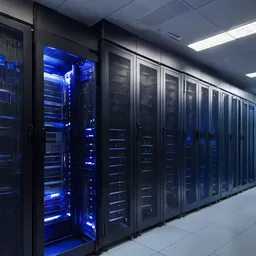 Server Room Build-outServer rooms built for the Lao climate: racks, N+1 cooling, online UPS, earthing, gas suppression, access control and alerting…
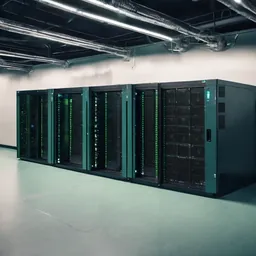 UPS & Power ProtectionUPS, earthing and surge protection for servers, switches and CCTV. Built for outages, evening brownouts and rainy-season…
Send us a floor plan or a few photos of the site
We’ll come back with a few questions, then a first design. The first consultation is free, in Lao, Thai or English, on WhatsApp or our Facebook page.