 Data Center & Servers
Off-site DR Site & Colocation Setup
A second site for your servers and backups, with replication, offline copy and a yearly failover drill.
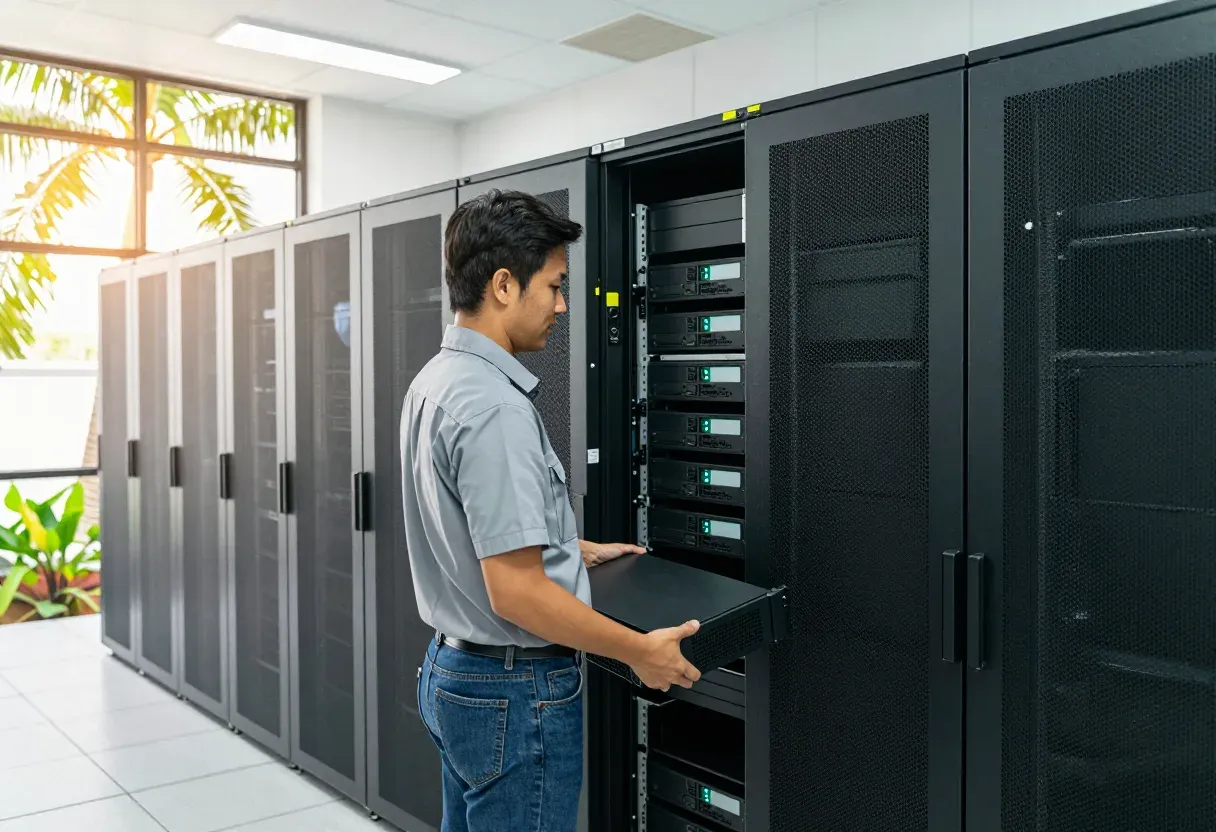
What we usually find on site
What we usually see on sites: the only backup NAS sits beside the server in the same room, so one fire, rainy-season flood, theft or ransomware attack destroys production data and backups together. Power and cooling at the second branch are weaker than the main site, and nobody ever tested failover, so nobody knows whether recovery takes hours or days.
Why a backup in the same room saves nothing
Many server rooms in Vientiane and the provinces keep the backup NAS next to the rack. One fire, one rainy-season flood in a low area, or one burglary takes production data and backups together. Ordinary backup covers deleted files and failed disks, but not the loss of the whole room. For most offices under 50 people we would agree two numbers in writing first: data loss limit (RPO) and downtime limit (RTO).
Which second site fits
Another branch of your own costs least, but the room usually needs better UPS, cooling and locks first. A rented rack in a colocation facility gives round-the-clock power, cooling and guards without building a room yourself; we do not own or operate any data center, we install your equipment into the rented rack correctly. Cloud suits teams that want to grow without buying hardware:
- Own branch: lowest spend, but budget for UPS, cooling and door access
- Rented rack: power, cooling and guards included, sized by rack space and power draw
- Cloud: no hardware to buy, but needs a stable link and a monthly operating budget
Replication, offline copies and the drill
We replicate virtual machines (server virtualization) and backups to the second site on the agreed schedule. One copy stays immutable or offline, so ransomware in the main network cannot delete every copy at once. The time math must be honest: 500 GB over a 20 Mbps link takes about 55 hours (500,000 MB divided by 2.5 MB per second), so heavy-change sites need a faster link or a seed carried on disk. We set up the site-to-site VPN, the DNS switch plan and the boot order, then prove it with a yearly drill that times a real recovery. Send us a photo of your current rack and your backup software dashboard on WhatsApp and we will suggest the site type and RPO/RTO that fit you.
What it does
Written RPO and RTO agreement
Agreed data-loss and downtime limits that drive every later design choice.
VM and backup replication
Virtual machines and backups copied to the second site on the agreed schedule.
Immutable and offline copy
One copy that ransomware cannot delete from the network, kept offline or locked.
VPN and DNS failover plan
Site-to-site VPN with DNS switching and a clear system boot order.
Colocation rack move and setup
Servers moved into the rented rack with labelled power and network cabling.
Yearly failover drill
Main site shut per plan, real recovery timed and lessons recorded each year.
Design and rollout
- 1
Agree RPO and RTO, then pick the second site: own branch, rented rack or cloud.
- 2
Prepare power, cooling, locks and the VPN link with the DNS switch plan.
- 3
Replicate virtual machines and backups, plus one immutable or offline copy.
- 4
Move and install equipment into the rented rack, label cabling and write the remote hands plan.
- 5
Run a full failover drill, measure recovery time and hand over the recovery manual.
Where it fits
- An office whose only backup NAS sits in the same room as the server.
- A company with two branches that wants the second branch to take over.
- A business hit by ransomware before that fears every copy being deleted.
- A team with a rented rack that needs servers moved in and set up properly.
Typical system sizes
Second branch site
Fits: You already have another branch that can hold copies and take over.
- UPS, cooling and lock upgrades at the standby branch.
- VM and backup replication with one offline copy.
- Recovery manual with one guided failover drill.
Rented colocation rack
Fits: No suitable branch; you want a guarded rack with steady power and cooling.
- Move and installation into the rented rack with full cable labelling.
- Site-to-site VPN, DNS switch plan and system boot order.
- Remote hands plan for asking on-site staff to act for you.
Branch plus cloud
Fits: Critical workloads that must recover fast, with branch and cloud together.
- Critical systems replicated to cloud on a shorter RPO.
- Immutable copy so ransomware cannot wipe every backup.
- Yearly failover drill with a measured recovery-time report.
Brands we supply & install
All brand names and trademarks belong to their respective owners. Mention does not imply official partnership unless explicitly stated. Products are sourced through legitimate distribution channels.
FAQ
Do you own a data center?
No. We design, move, install and test on your branch, a rented rack or cloud.
How often should we test failover?
At least once a year, shutting the main site per plan and timing real recovery.
What is an immutable copy?
A copy nobody can alter or delete for a set period, even with admin passwords stolen.
Our branch has weak power; can it be a DR site?
Yes, after UPS and cooling upgrades. We survey the room and list what it needs.
Related guides
Backups That Restore: Test Before You Need Them
A green backup job does not mean you can restore. Five test types, how often to run them, and how to log proof.
The 3-2-1 Backup Rule (and 3-2-1-1-0) in Practice
The backup rule used worldwide, why ransomware added the extra "1" and "0", how to set RPO and RTO, a worked restore-time example, and how to make it work with Lao power…
Ransomware Checklist: Breaking the Attack at Each Stage
Ransomware is not a one-minute event. A checklist organized around the stages attackers actually go through, plus what to do in the first hour.
Related solutions
Data Center & Servers
 Server VirtualizationCollapse a room of ageing servers into one cluster on VMware, Proxmox, Nutanix or Hyper-V, so one dead host no longer stops the…
 Hyperconverged Infrastructure (HCI)Compute, storage and virtualization in the same nodes; add a node when you need more. Built for 1–3 person IT teams with no SAN…
 NAS & SAN StorageCentral storage: NAS for shared files, SAN for VMs and databases, with RAID, snapshots and per-department permissions.
 Backup & Disaster Recovery3-2-1 backups with an immutable copy ransomware cannot delete, and restores that are actually tested, not just green job reports.
 Server Room Build-outServer rooms built for the Lao climate: racks, N+1 cooling, online UPS, earthing, gas suppression, access control and alerting…
 UPS & Power ProtectionUPS, earthing and surge protection for servers, switches and CCTV. Built for outages, evening brownouts and rainy-season…
Send us a floor plan or a few photos of the site
We’ll come back with a few questions, then a first design. The first consultation is free, in Lao, Thai or English, on WhatsApp or our Facebook page.