On this page
- The question we actually get
- Option 1: 4G/5G with an outdoor antenna
- Option 2: LEO satellite internet
- Option 3: GEO VSAT and point-to-point microwave
- Comparison: latency, weather, setup, and best fit
- Combining two links with SD-WAN failover
- What to run over each link
- Power and lightning at the mast
- Bandwidth planning and your next step
The question we actually get
"Our new branch has no fiber, and the nearest town with fiber is 40 km away. What do we do for internet?" We hear this often from owners opening branches, warehouses, and camps outside Vientiane and the main provincial towns. The good news: you have four practical options, and most rural sites end up with two of them combined. This guide walks through each one and how to pick, and ends with a short checklist for your next site visit.
Option 1: 4G/5G with an outdoor antenna
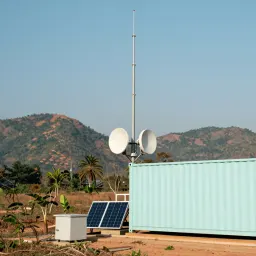
For most offices under 50 people we would start here, because a mobile signal is already present at most rural sites and the setup takes hours, not weeks. The part most people get wrong is the antenna. An indoor router on a desk hears a weak, reflected signal. The same router connected to a directional antenna on a 6 to 12 metre mast can pick up a tower several kilometres away, and the difference shows up directly in the signal metrics.
Ask your installer to show you two numbers on the router status page. RSRP tells you signal strength: around -80 dBm is strong, around -100 dBm is weak, and anything worse than -105 dBm will feel unstable. SINR tells you signal quality: above 10 dB is clean, below 0 dB means interference or congestion. If RSRP is fine but SINR is poor, a higher mast or a different aiming direction usually helps more than a more expensive router. That is why antenna height matters more than the router brand: every extra metre of height clears more trees, roofs, and terrain between you and the tower.
A few practical points. Use an outdoor-rated antenna and outdoor-rated cable, and keep the cable run short, because long thin cable eats signal before it reaches the router. Keep the router indoors where it stays cool, and test during working hours: speeds at 20:00 are often much lower than at 10:00. And remember that one mobile link is still one link. For a branch that takes payments or runs a warehouse system, pair it with a second path described below.
Option 2: LEO satellite internet
LEO satellite internet uses many satellites orbiting close to the earth, so latency is typically 30 to 60 ms, close enough for video calls and cloud accounting software. This is very different from the older GEO satellite services that sit near 600 ms. For a site with no usable mobile signal at all, this is usually the first option we suggest testing.
Three conditions decide whether it works at your site. First, the dish needs a clear view of the sky, roughly 100 degrees wide with no tall trees, roofs, or mountains in the way. A site surrounded by high trees will drop the connection every few minutes as satellites pass behind the leaves. Second, check that the service is actually offered at that location before you buy any hardware, since coverage areas and sales areas change over time. Third, budget power: the dish and its router draw power all day, commonly several tens of watts, so a small site needs this load in its UPS and solar calculations.
Short heavy downpours usually cause brief slowdowns rather than long outages, and the link recovers by itself. Mount the dish where staff cannot bump it and nobody parks under it, because a moved dish means a realignment visit.
Option 3: GEO VSAT and point-to-point microwave
GEO VSAT uses one satellite far above the equator, so a request and its reply each go up to the satellite and back down, about 144,000 km in all. That gives a latency near 600 ms no matter how fast the package is. Interactive work suffers: video calls talk over each other, remote desktop feels sticky, and some VPN setups need retuning for the delay. But VSAT works almost anywhere with a view of the southern sky, and for email, messaging, and nightly report uploads it is perfectly usable. We still see it at the most remote camps where nothing else reaches.
Point-to-point microwave is the opposite idea: instead of going to space, you beam from your site to a point that already has fiber, such as another office, a hill relay, or a town building. This needs true line of sight between the two antennas, including clearance for the Fresnel zone, which is an invisible football-shaped area around the beam path. At 10 km the zone is several metres wide at its middle, so trees growing into the path will break a link that worked fine on installation day. Short links under 5 km with clear sight can carry hundreds of megabits; longer links up to 20 or 30 km need taller masts and a survey first. For most branch owners the honest answer is that microwave fits when you already control both ends, for example your warehouse and your shop in the same district.
Comparison: latency, weather, setup, and best fit
| Option | Typical latency | Weather sensitivity | Setup effort | Best for |
|---|---|---|---|---|
| 4G/5G with outdoor antenna | 30 to 80 ms | Low, except tower congestion in storms | Hours, one mast and antenna | Offices and shops with some mobile signal |
| LEO satellite internet | 30 to 60 ms | Brief slowdowns in heavy rain | Days, dish mounting plus sky check | Sites with no mobile signal but open sky |
| GEO VSAT | About 600 ms | Rain fade during storms | Days, dish plus careful aiming | Email and reports at very remote camps |
| Microwave to a fiber point | 1 to 5 ms plus fiber | Almost none, needs clear path | Weeks, survey plus two masts | Two sites you control within sight of each other |
Read the table as a starting filter, not a verdict. A branch 3 km from your fiber-connected warehouse with clear sight should probably use microwave, not satellite. A camp in a valley with tall trees and a decent mobile signal should use 4G/5G with a mast, not a satellite dish staring at leaves. If you want a second opinion on redundancy concepts in general, our dual-ISP redundancy guide explains the same thinking for town offices.
Combining two links with SD-WAN failover
One link of any kind will fail eventually: a tower goes down, a dish gets bumped, or a storm takes out mains power. For a branch that handles sales, stock, or customer queues, the fix is two different links plus a small SD-WAN router that watches both and moves traffic in seconds when one path degrades. Different matters here. Two SIM cards on the same tower fail together, so pair a mobile link with satellite, or microwave with mobile.
The SD-WAN router can also steer traffic by type: point-of-sale and voice over the lowest-latency path, CCTV viewing and backups over whichever link has spare capacity. Our SD-WAN versus MPLS comparison explains this steering idea for multi-branch owners. Test monthly by unplugging the main link for ten minutes in a quiet hour. A backup nobody has tested is only a hope.
What to run over each link
Not every application needs the same link. Point-of-sale traffic is tiny, often a few tens of kilobits per second per terminal, but it hates dropouts, because a failed payment authorisation holds up the whole queue. Put POS on your most stable path and keep a printed fallback procedure for the day both links fail. Video calls need 1.5 to 3 Mbps per call in each direction plus low latency, so they belong on 4G/5G, LEO satellite, or microwave, never on GEO VSAT if you can avoid it.
CCTV remote viewing is the bandwidth hog people forget: one camera substream uses roughly 0.5 to 1 Mbps, so eight cameras need up to 8 Mbps your branch link may not have. Record locally on an NVR and view only one or two cameras at a time, or drop the remote-view resolution. Run cloud backups and updates overnight, and size the link for the daytime peak.
Power and lightning at the mast
Rural power fails more often and more violently than town power. The 17:00 to 19:00 brownouts are common across Laos, and remote sites add generator changeover dips and long rainy-season outages. Every mast device, the router, and the dish need UPS coverage for at least the generator start gap plus margin: 15 to 30 minutes of real runtime suits most branches. Measure the load in watts and do the arithmetic twice before buying, because a UPS that dies two minutes into an outage protects nothing.
A metal mast on a roof or a hill is exactly what lightning looks for, so bond the mast to the building earth with a short, thick conductor, fit a surge protector on every cable coming down, and never run mast cables alongside mains wiring. Budget one rainy-season inspection: tighten clamps, check corrosion, and confirm the earth still reads low.
Bandwidth planning and your next step
Plan on one page before buying anything: roughly 1 Mbps per daytime staff member for mixed office work, 2 Mbps per concurrent video call, 1 Mbps per camera viewed remotely, plus a 30 percent margin. A 15-person branch with two video calls and two remote cameras lands near 27 Mbps. Check that against what each option delivers at your site, and try our bandwidth calculator to sanity-check the total.
Then use this checklist on the site visit:
- Photograph the view toward the nearest town from the roof, noting trees and hills.
- Record mobile signal readings (RSRP and SINR) at ground level and at mast height.
- Check the sky view where a dish would sit, morning and afternoon shade included.
- Note the UPS load in watts and the generator start delay in seconds.
- Confirm two different link types are available before promising an opening date.
The one next step: pick your two most likely options from the table and test them at the site for a full working day each. Then send us the mast-height signal readings, the dish sky-view photo, and your one-page bandwidth list on WhatsApp, and we will tell you which combination we would install and why.
- #rural-internet
- #4g-5g-antenna
- #satellite-internet
- #microwave-link
- #sd-wan-failover