 AI for Organizations
Private AI Document Assistant
A private assistant on your own server that searches your documents and answers in Lao, Thai or English, showing the file and page behind each answer.

What we usually find on site
The answers already exist inside the organisation: in contracts, internal rules, reports and old email. The problem is that nobody remembers which file, and new staff have to ask the old hands every time. Pasting internal documents into a public online AI service is a risk many organisations will not accept.
How it works
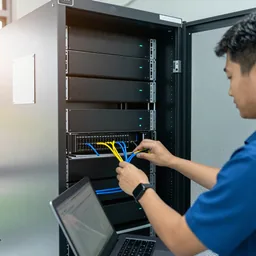
We install an open-weight language model on a server in your building or private network. The system reads the folders you choose (PDF, Word, Excel, scanned documents), splits them into passages and builds a search index. When a staff member asks a question, it first finds the relevant passages and then writes the answer from them.
Every answer shows where it came from
Each answer shows the file name and page number of the internal document it used, and opens it with one click. This matters more than anything else: AI can be confidently wrong, so users must be able to check the original quickly. When nothing relevant is found, the system should say so rather than invent an answer, and we test exactly that in the acceptance test.
Who sees what
Access follows user accounts and folders. General staff do not see HR or finance files unless they are given the right. The system logs who asked what and when. Documents are not sent outside and are not used to train any public model.
What to know first
Answers are only as good as the documents. If three versions of a rule contradict each other, the system may quote the old one. So we help sort the folders and mark the current versions first. Start with a pilot on your own documents and see AI server setup and care.
What it does
Search by plain question
Ask in Lao, Thai or English the way you would ask a colleague. No file names to remember.
File and page on every answer
Every answer points to the internal document and page it used, one click to check.
Folder-level permissions
Users only see documents they are allowed to. HR and finance stay separate.
Every question logged
Administrators can see who asked what and when.
Says "not found" when it is not found
Configured to admit it found nothing instead of inventing, and checked in the acceptance test.
New documents added monthly
New files are indexed on an agreed schedule as part of monthly care.
Design and rollout
- 1
Choose the first folders and user groups, and mark which document versions are current.
- 2
Pilot with 20–50 real questions staff ask often.
- 3
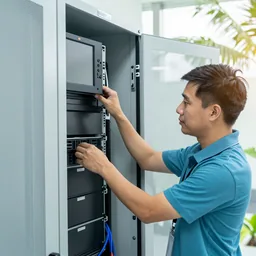
Install the server in your building or private network, with UPS and backup.
- 4
Ingest documents, build the index and set permissions by account and folder.
- 5
Run the acceptance test: answerable questions, unanswerable ones, and questions the user has no right to.
- 6
Train users and administrators, then start monthly care.
Where it fits
- For example, a procurement team looking for warranty terms across hundreds of contracts.
- New staff asking about leave rules or expense claims.
- Engineering teams searching machine manuals and old repair reports.
- Government offices with years of incoming and outgoing letters and reports.
- Hotels where front-desk staff look up standard procedures.
Typical system sizes
One department
Fits: A small user group and one set of folders
- Pilot with real questions before installation
- File and page on every answer
- User guide in Lao
Several departments
Fits: Several user groups with different rights
- Permissions by folder and account
- Log of who asked what
- Help sorting folders and marking current versions
Organisation-wide
Fits: Several branches connecting over a private network
- Branch access over a secure connection
- Linked to your existing user accounts where possible
- Monthly care with acceptance test re-runs
FAQ
Do our documents leave the building?
They do not have to. The system runs on a server in your building or private network. Documents are not sent to an online service and are not used to train a public model.
Can it read scanned Lao documents?
Yes, depending on scan quality. Clear scans of typed pages do far better than handwriting or copies of copies. We measure it on your documents in the pilot and tell you which folders are ready.
How do we know when it answers wrongly?
Every answer shows the file and page, so the user can open and check it at once. For anything with consequences, such as money or contracts, treat the answer as a draft and always check the original.
Does it work alongside Microsoft 365 or Google Workspace?
Yes, for files synced to a server or shared folder inside your organisation. We check the right way to connect your setup during the pilot and keep access rights as they are.
Related guides
Private AI vs Cloud AI: How to Choose for Your Organisation
What changes between running AI on your own server and using a public cloud AI service — data sensitivity, internet dependence, control and upkeep — with a simple…
A Data Privacy Checklist Before You Put Company Documents Into Any AI
Before staff paste a contract, invoice or customer list into any AI tool, there is a sequence to check: classify the document, know where the AI runs, who holds an…
How to Run an AI Pilot, Step by Step
A step-by-step pilot: pick one task, collect 20–50 real samples, write pass criteria in advance, run side by side with the current way, review mistakes with staff…
NAS, SAN or Cloud: Where to Keep Company Data When the Internet Isn't Always Fast
How NAS, SAN and cloud differ on protocols, performance and cost, with real upload-time maths and a hybrid design that suits Lao internet links.
AI and the Lao Language: What to Test Before You Trust It
What to test before trusting AI with Lao: printed vs handwritten, scan/photo quality, mixed Lao-Thai-English, numbers/dates/names, tone marks and ໜ ໝ ຳ, speech with…
Related solutions
AI for Organizations
 AI Readiness & PilotWe test AI on 20–50 of your own documents or recordings and show the results, mistakes included, before you buy a server.
 AI Speech-to-Text & Meeting NotesTranscribe meetings and recordings in Lao, Thai or English on your own server, then draft minutes for the secretary to check and…
 AI Document Data EntryAI reads forms, invoices and ID-style documents into your spreadsheet or system, and highlights uncertain fields for a staff…
 AI Content StudioAI-made images and short videos for marketing, every piece labelled as AI-generated and never presented as your real product or…
 AI Server Setup & CareWe install the AI server in your building with user accounts, backup and an acceptance test, then look after it and re-test it…
 AI Staff TrainingHands-on workshops in Lao, Thai or English: safe everyday use of AI, writing prompts, checking the output and rules for data.
Send us a floor plan or a few photos of the site
We’ll come back with a few questions, then a first design. The first consultation is free, in Lao, Thai or English, on WhatsApp or our Facebook page.