On this page
- The question we actually get
- What a UPS does, and what it cannot do
- What a generator does, and where it struggles
- The decision table: match backup to your outage
- ATS basics: automatic changeover your equipment never feels
- Sizing: generator kVA, UPS input, and motor starting current
- Fuel, placement, and the monthly test that saves you
- What we usually see go wrong, plus a short checklist
- Your one next step
The question we actually get
"Last night the power went out for ten minutes, the computers died, work was lost, and the cameras stopped recording. We already bought a UPS, is it enough, or do we need a generator too?" Shops, clinics, hotels, and provincial branches in Laos ask us this all the time, especially in the rainy season when lightning brings dips and outages, and in the 17:00–19:00 evening window when voltage sags until equipment reboots on its own. This guide answers that question directly: what a UPS can do, what a generator can do, and where you need both plus an automatic transfer switch (ATS).
What a UPS does, and what it cannot do
A UPS is a power bridge, not a power station. It has three jobs: keep the load alive through a sudden cut, condition sagging or surging mains so equipment keeps running, and buy you time to save work or shut down cleanly. A typical desktop UPS holds one computer for about 5–15 minutes at full load, while a UPS with extended battery packs feeding only network gear can last 1–3 hours, because the load is far smaller.
What a UPS cannot do is carry a whole building for hours. Plug air conditioners, fridges, pumps, and every computer into one UPS and the batteries drain in minutes, while repeated overload discharge shortens battery life. A common misunderstanding is that the VA rating tells you backup time. It does not. VA tells you how much load it can feed; backup time comes from battery capacity against your real load. To review load math and power factor, read the UPS sizing guide alongside this article.
For most offices under 50 people we would protect only the critical loads with the UPS: servers, switches, routers, CCTV, the point-of-sale machine, and the PCs people are working on. Air conditioners and heavy appliances stay off the UPS. Splitting loads this way stretches battery time several times over without buying a bigger UPS.
What a generator does, and where it struggles
A generator is long-run energy. As long as there is fuel, it runs for hours or all day. That fits long outages, whole-area blackouts, and remote sites where the grid comes back slowly. But it has three weaknesses you must plan around.
First, it never starts instantly. A typical diesel set needs about 10–30 seconds to crank and stabilize before the ATS transfers the load, and equipment dies in that gap unless a UPS is bridging it. Second, early generator power is unsteady, with frequency and voltage swinging as it takes load, so some UPS models keep flipping to battery and drain themselves even though generator power is already there. Third, it needs care: fuel, reserve stock, starter battery, engine oil, and an exhaust path. All of it must be ready before the outage, not hunted down during one.
At remote sites in Laos that already own a generator, the usual problem is not an undersized set. It is a set that has not started in a month, so when the grid really fails it will not crank because the starter battery has gone flat. That is why this guide spends extra time on the monthly test run.
The decision table: match backup to your outage
Before buying anything, answer two questions: how long do your outages usually last, and what must never go down? The answers point to one of three paths.
| Your outages | What must keep running | The right fit | Notes |
|---|---|---|---|
| Blips to 15 minutes, evenings or storms | Computers, network, cameras, point of sale | UPS only | Keep air-con and motor loads off the UPS |
| 30 minutes to hours, or frequent area blackouts | Working systems, PCs, lights, fans, some fridges | UPS + generator + ATS | The UPS bridges the 10–30 seconds while the set starts |
| All-day cuts, or remote sites where fuel delivery is hard | Critical loads all day, plus night work | UPS + generator + extra solar battery | Solar cuts running hours and fuel use |
| Frequent sags but rare full cuts | Network gear and servers | Online double-conversion UPS | Rides through the 17:00–19:00 sag window best |
If you sit between two rows, pick the larger option, because loads only grow after installation: one more air conditioner, one more freezer, more cameras. A system sized exactly tight on day one strains within a year. For the equipment on each side, see UPS power protection and generator with ATS. Sites interested in cutting long-run fuel use should look at hybrid solar with battery.
ATS basics: automatic changeover your equipment never feels
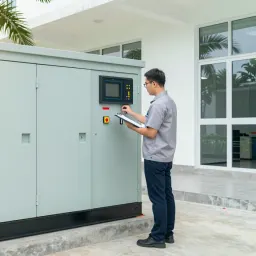
An ATS watches the mains. When the mains stay gone past its set delay, it orders the generator to start, waits until voltage and frequency stabilize, then moves the load to generator power. When the mains return and stay stable through the set delay, it transfers back and shuts the set down with a cooldown period. The whole sequence takes roughly 15–60 seconds from blackout to generator-fed load.
The single most important point is position: the UPS must sit after the ATS, on the load side. In plain terms, the ATS picks where power comes from, then the UPS filters that power once more before it reaches equipment. Wiring the UPS ahead of the ATS on the mains side is a real mistake we see in buildings where the generator was added later: the UPS still sees dead mains while generator power cannot reach the building because the ATS never transferred it.
There are two main types. Automatic suits clinics, hotels, and shops without resident technicians, because it transfers alone at night or when nobody is around. Manual changeover costs less and is simpler in construction, but someone must walk over and throw the switch every outage. For a shop that closes during long cuts anyway, manual may be enough, but with goods freezers, a server room, or overnight guests, automatic pays for itself quickly.
One more caution: never set the ATS too eager. If it transfers back the instant the mains blink on for a second, it chatters back and forth until the contacts wear and equipment reboots. Technicians usually set a delay of tens of seconds to a few minutes so the mains prove stable before transferring back. That number is adjustable on site to match how your area behaves.
Sizing: generator kVA, UPS input, and motor starting current
Generator size is rated in kVA while the work you draw is measured in kW, and the two differ by power factor. A typical set delivers about 80% of its kVA number as kW, so a 25 kVA set gives roughly 20 kW of real work. Comparing kVA straight against load watts leaves you with a smaller machine than you thought.
Three simple rules apply. First, total the watts of everything the ATS must feed during an outage, then add at least 25% headroom for loads you will add later. Second, motors in air conditioners, pumps, and freezer compressors draw roughly 3–7 times their running current at start. If several air conditioners start together at transfer time, voltage dips until the UPS drops to battery. The fix is staggered starting, or delay timers so units never start at once. Third, a UPS draws current in uneven pulses because of its rectifier stage, so a generator feeding mostly UPS load should be sized around 1.5–2 times the UPS kVA rating. Below that the set hunts, frequency wanders, and the UPS rejects generator power and cycles on battery.
This is why an online double-conversion UPS pairs best with generator power. It accepts a wider input voltage and frequency window and delivers steady output without bouncing between generator and battery. A line-interactive UPS costs far less and serves fine in offices where the mains are fairly stable, but on generator power it may switch to battery so often that batteries wear early. On a tight budget, put the better UPS on the most critical load and use the economical type for general PCs.
Before ordering, write down the real watt list with each motor starting current, then use the UPS runtime calculator to check the UPS bridges the transfer gap with margin. Those paper numbers are what the installer actually needs, not just model names.
Fuel, placement, and the monthly test that saves you
Plan fuel from one question: how long is your longest outage? Multiply by consumption at your real load, not the full-load figure on the datasheet, because a set at half load burns far less than at full load. Store enough reserve for the longest cut plus one extra round, and rotate old stock out, because fuel sitting in tanks for months in hot, humid air degrades and makes starting hard. At remote sites, book delivery rounds ahead of the rainy season, when some roads slow supply trucks down.
Placement matters as much as size. Point the exhaust outlet away from windows and the building air intakes, ventilate around the set but roof it against driven rain, and never box it in solid walls, because trapped heat shuts it down on itself. Noise is a top complaint in residential areas, where an acoustic wall and a silencer-type exhaust help a great deal. And remember theft: a portable set needs anchor bolts and a locked fuel tank.
The monthly test is what separates a system that works from one kept for show. Start the set under the real building load, never at idle, for at least 15–30 minutes until it reaches working temperature. Confirm the ATS completes the full transfer in both directions, voltage and frequency stay steady, and the UPS never alarms. Log running hours and fuel level every time. Check starter-battery voltage and terminals monthly, because a flat starter battery is the most common reason sets fail to start in a real outage. In our site experience, sets tested under load every month start nearly every time, while sets parked for three months are a gamble.
What we usually see go wrong, plus a short checklist
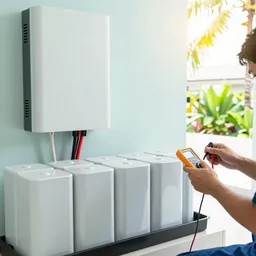
The most common find is a UPS with dead batteries nobody knew about, discovered only in a real outage when it holds for two minutes. Next is an ATS left in manual position after repair work, never switched back to automatic. Another is a whole building hung on one UPS so it runs overloaded all day. Last is an exhaust outlet or ventilation path blocked by stored goods until the set overheats exactly during an outage.
A short checklist before you pay:
- List the must-never-drop loads in real watts, with motor loads separated out.
- Confirm the UPS holds at least 10–15 minutes, so a failed generator start still leaves time to shut down cleanly.
- Verify the UPS sits after the ATS on the load side, not the mains side.
- Allow generator headroom for motor starting current and the UPS rectifier stage.
- Settle fuel storage, rotation, and rainy-season delivery rounds.
- Name one person responsible for the monthly under-load test run.
Your one next step
If you now know which row of the table you sit in, send three things on WhatsApp and we will tell you whether your site survives on a UPS alone or needs a generator with ATS, with an approximate size. Send us a photo of your main distribution board, the nameplate of any UPS or generator you already own, and the lengths of your last three outages in minutes. Those three items let an engineer judge your site without guessing.
- #power-backup
- #ups-sizing
- #generator-ats
- #outage-planning
- #maintenance-testing