On this page
- The question we actually get
- Why lightning kills IT gear without a direct strike
- The three layers: Type 1, Type 2 and Type 3 SPDs
- Earthing and bonding: the part most sites skip
- Data lines: protecting PoE cameras, APs and links between buildings
- Masts, antennas and rooftop gear
- Why a UPS alone does not save you
- Your site checklist and placement table
- The one next step
The question we actually get
"Last rainy season lightning killed two of our PoE cameras and one switch port. We already have a UPS. What else do we actually need?" We hear this every August. The short answer: a UPS keeps the power on, but it does not stop surges arriving on data lines, and it cannot help if the building has no working earth. Protection means layers: SPDs on the power lines, SPDs on outdoor data lines, one bonded earthing system, and fiber instead of copper between buildings. For most offices under 50 people we would start with a Type 2 SPD at the main board plus data-line SPDs on outdoor camera runs, because that combination stops the failures we see most often.
Why lightning kills IT gear without a direct strike
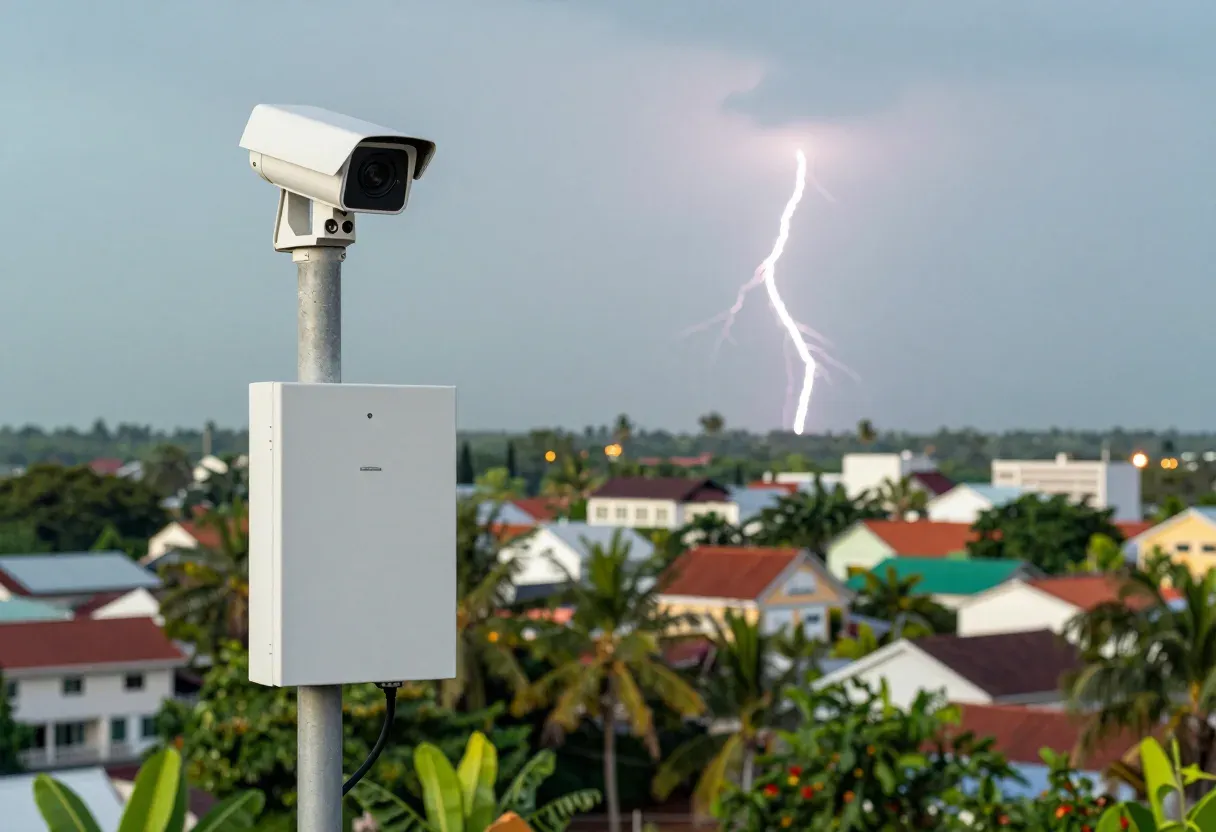
Direct strikes are rare. What kills switches, NVRs, cameras and access points is usually a nearby strike, sending a surge through power lines or inducing a voltage spike on long outdoor runs. A 60 to 90 metre copper run to a gate camera acts like an antenna. A strike within a few hundred metres can push hundreds of volts into a PoE port built for under 60 V, killing the port and often the chip behind it.
The second killer is ground potential difference between buildings. Where two buildings sit on separate unbonded earth rods, a nearby strike can lift one building's earth thousands of volts above the other. Any copper cable between them, even a LAN cable, becomes the path that equalises the difference, straight through the switches at both ends. That is why office-to-warehouse and office-to-guard-house links fail so often.
What we usually see: dead PoE ports while the UPS log shows nothing, NVRs that never come back, and cameras dying one by one along the longest runs. Heat and humidity finish off already-stressed supplies, and the 17:00 to 19:00 brownouts punish the same weak ones, so storm season is when everything fails at once.
The three layers: Type 1, Type 2 and Type 3 SPDs
SPDs follow IEC 61643-11 classes, each with a job in a different place. Think of three fences, each catching what got past the previous one.
- Type 1 sits at the main incomer, before or beside the main breaker, and takes the big energy of a supply-line strike, typically around 25 kA per pole on a 10/350 microsecond waveform. Need one where supply lines run overhead or a roof lightning system exists; a shophouse office on underground cable from a nearby transformer can often start at Type 2.
- Type 2 sits at distribution boards, including the board feeding the server rack or NVR corner, typically 20 to 40 kA per pole on an 8/20 microsecond waveform. This is the workhorse layer every IT setup should have. Fit one at the main board as the first purchase, since it protects everything downstream at a sensible size.
- Type 3 sits within about 10 metres of sensitive gear: plug-in or rail-mounted units for a rack PDU, an NVR feed, or a reception PC. Type 3 only works with Type 2 already upstream.
The three types work as a chain, spaced so each takes its share. Buy SPDs with a status window: each unit absorbs only so many surges before its cartridge needs replacing. Check the window after every storm season. For how much power outdoor devices draw, see PoE budget explained.
Earthing and bonding: the part most sites skip
Every SPD needs somewhere to send the surge: the earth. An SPD with no earth wire is decoration, its green-yellow wire cut short or never connected, while the surge carries on into your equipment. That is the most common defect we find: an SPD installed but no earth wire, or an earth wire fixed to a painted rack rail that conducts nothing.
One site, one earthing system. All rods, building steel, the main earth bar, racks and trays bond into a single network, with no later-added rod left floating. Use at least 16 sq mm copper from the electrode to the main bar at small sites, with 6 sq mm green-yellow jumpers from racks and trays back to the bar. Scrape paint from under every clamp so metal touches metal.
Measure earth resistance with an earth tester, never a multimeter, aiming for 10 ohms or less at a small office. Test in the dry season: soil reading 8 ohms in August mud can read 30 ohms or more in March dust. A high reading means longer or extra rods on the same system, with joints protected against corrosion. Never water the ground before a test to fake a passing reading.
Data lines: protecting PoE cameras, APs and links between buildings
Power SPDs guard the power path only. Surges on network cables walk straight past them into switch and NVR ports, so any copper data cable that runs outdoors, along a roof, across a yard, or between buildings needs data-line SPDs at both ends, one where the cable leaves the rack and one where it enters the far device. One-end protection leaves the other end exposed, and camera-side failures are the ones we see most.
Use outdoor-rated shielded cable for exposed runs, bonding the shield through grounded connectors into the same earthing system at building entry. The SPD on a PoE run must be PoE-compatible and rated for the power in use, so it neither starves the DC supply nor overheats on a high-power camera. Keep outdoor runs short and low, away from metal roof edges and gutters where induced voltages peak.
Between buildings, the strongest answer is to stop using copper altogether. Fiber has no metal conductor, so it carries no surge and the ground potential difference problem disappears with it. Run outdoor armored fiber with media converters or SFP ports at each end, each side powered locally behind its own SPDs; Cat6 vs Cat6a vs fiber covers when copper still makes sense. Where fiber is genuinely impossible this season, fit data-line SPDs at both ends and bond both buildings to one earthing system, but treat that as temporary.
Masts, antennas and rooftop gear
Masts and rooftop antennas invite strikes, and their radios are usually the priciest small devices on site. A mast needs its own air termination and a down conductor sized for lightning current, typically at least 50 sq mm copper, run straight down with no sharp bends and bonded into the site's single earthing system. A separate unbonded rod at the mast is worse than nothing: it creates exactly the potential difference that kills indoor gear.
Fit a coax or data-line SPD on each feed at building entry, grounded to the same earth bar before it reaches the switch or recorder. Drip loops and entry glands keep rain off the connectors, because corroded joints surface months later as cameras that drop out every time it rains. Where the far end is another building, a wireless point-to-point shot avoids copper between rooftops; see point-to-point wireless.
Why a UPS alone does not save you
A UPS carries the load through blackouts and brownouts, and an online double-conversion unit rebuilds clean output power, but neither covers the data ports. Lightning arrives through PoE cables, antenna coax and inter-building LAN links that never pass through the UPS. Built-in mains filtering softens small power-line spikes, yet it replaces neither Type 1 nor Type 2 SPDs, and it does nothing for a surge arriving on a camera cable.
Then there is generator changeover: the UPS rides through the switching transients while unprotected electronics on the same board feel every spike. So the order is SPDs first at the boards, the UPS behind them for continuity, then data-line SPDs on every outdoor copper run. A rack with a UPS but no board-level SPD and no earth measurement on record has its guard at the wrong door.
Your site checklist and placement table
Walk the site with this checklist before the rains and after; a small office takes about an hour.
- Main board SPD fitted, status window healthy, earth wire connected and tight.
- Earth resistance measured and dated on the board door: aim 10 ohms or less.
- Racks, trays and NVR chassis bonded to the earth bar; no paint under clamps.
- Every outdoor PoE camera and AP has a compatible data-line SPD at both ends.
- No copper LAN between buildings: fiber in place or planned, each side on local power behind SPDs.
- Mast and antenna feeds pass through entry SPDs before reaching indoor gear.
- Spare SPD cartridges on the shelf; cross-border sourcing from Thailand or China takes days in storm season.
- Boards, bars and protector labels photographed for comparison next visit.
| Location | Fit this | Notes |
|---|---|---|
| Main incomer | Type 1 SPD | For overhead supply lines or roof lightning systems; bond to the main earth bar |
| Distribution board feeding IT | Type 2 SPD, 20 to 40 kA | The minimum every site should have; check the window after each storm |
| Rack PDU and NVR feed | Type 3 SPD | Only with Type 2 upstream, within about 10 m of the gear |
| Outdoor PoE camera or AP run | Data-line SPD at both ends | PoE-compatible rating; shield bonded at building entry |
| Cable between buildings | Fiber instead of copper | Removes the surge path; each side on local power behind SPDs |
| Mast and antenna feeds | Coax or data SPD at building entry | Mast bonded to the same earthing system, straight down conductor |
The one next step
Buy nothing until you know what your earth looks like: every protector downstream depends on it. Photograph the main board, the SPD or the empty gap for one, the earth bar and its wires, then list outdoor cameras and the buildings your cables run between. Send those photos plus the list on WhatsApp with your town or province, and we will reply with the exact SPD types, data-line protectors and earth work your site needs.
- #surge-protection
- #lightning-protection
- #earthing-and-bonding
- #poe-cameras
- #cctv-protection
- #spd-selection