 企业 AI

现场常见问题
The answers already exist inside the organisation: in contracts, internal rules, reports and old email. The problem is that nobody remembers which file, and new staff have to ask the old hands every time. Pasting internal documents into a public online AI service is a risk many organisations will not accept.
How it works
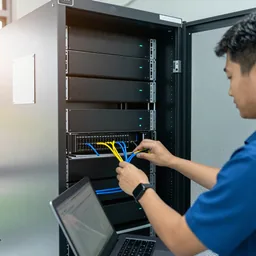
We install an open-weight language model on a server in your building or private network. The system reads the folders you choose (PDF, Word, Excel, scanned documents), splits them into passages and builds a search index. When a staff member asks a question, it first finds the relevant passages and then writes the answer from them.
Every answer shows where it came from
Each answer shows the file name and page number of the internal document it used, and opens it with one click. This matters more than anything else: AI can be confidently wrong, so users must be able to check the original quickly. When nothing relevant is found, the system should say so rather than invent an answer, and we test exactly that in the acceptance test.
Who sees what
Access follows user accounts and folders. General staff do not see HR or finance files unless they are given the right. The system logs who asked what and when. Documents are not sent outside and are not used to train any public model.
What to know first
Answers are only as good as the documents. If three versions of a rule contradict each other, the system may quote the old one. So we help sort the folders and mark the current versions first. Start with a pilot on your own documents and see AI server setup and care.
功能
Search by plain question
Ask in Lao, Thai or English the way you would ask a colleague. No file names to remember.
File and page on every answer
Every answer points to the internal document and page it used, one click to check.
Folder-level permissions
Users only see documents they are allowed to. HR and finance stay separate.
Every question logged
Administrators can see who asked what and when.
Says "not found" when it is not found
Configured to admit it found nothing instead of inventing, and checked in the acceptance test.
New documents added monthly
New files are indexed on an agreed schedule as part of monthly care.
设计与实施
- 1
Choose the first folders and user groups, and mark which document versions are current.
- 2
Pilot with 20–50 real questions staff ask often.
- 3
Install the server in your building or private network, with UPS and backup.
- 4
Ingest documents, build the index and set permissions by account and folder.
- 5
Run the acceptance test: answerable questions, unanswerable ones, and questions the user has no right to.
- 6
Train users and administrators, then start monthly care.
适用场景
- For example, a procurement team looking for warranty terms across hundreds of contracts.
- New staff asking about leave rules or expense claims.
- Engineering teams searching machine manuals and old repair reports.
- Government offices with years of incoming and outgoing letters and reports.
- Hotels where front-desk staff look up standard procedures.
常见系统规模
One department
适用于: A small user group and one set of folders
- Pilot with real questions before installation
- File and page on every answer
- User guide in Lao
Several departments
适用于: Several user groups with different rights
- Permissions by folder and account
- Log of who asked what
- Help sorting folders and marking current versions
Organisation-wide
适用于: Several branches connecting over a private network
- Branch access over a secure connection
- Linked to your existing user accounts where possible
- Monthly care with acceptance test re-runs
常见问题
Do our documents leave the building?
They do not have to. The system runs on a server in your building or private network. Documents are not sent to an online service and are not used to train a public model.
Can it read scanned Lao documents?
Yes, depending on scan quality. Clear scans of typed pages do far better than handwriting or copies of copies. We measure it on your documents in the pilot and tell you which folders are ready.
How do we know when it answers wrongly?
Every answer shows the file and page, so the user can open and check it at once. For anything with consequences, such as money or contracts, treat the answer as a draft and always check the original.
Does it work alongside Microsoft 365 or Google Workspace?
Yes, for files synced to a server or shared folder inside your organisation. We check the right way to connect your setup during the pilot and keep access rights as they are.
相关指南
私有 AI 与云端 AI:企业如何选择
自有服务器运行 AI 与使用公共云 AI 服务有何不同:数据敏感度、对网络的依赖、可控性与维护,附简单清单逐项任务决策。
把公司文档交给 AI 之前的数据隐私检查清单
员工把合同、发票或客户名单粘贴到 AI 之前,应逐项检查:文档分级、AI 在哪运行、谁有账号、提问是否被记录、是否被用于训练公共模型、数据保留多久。
如何一步步开展 AI 试点
分步试点:选一项任务,收集 20–50 个真实样本,预先写好合格标准,与现有做法并行对比,和员工一起复盘错误,决定是否推进,最后才确定服务器配置。
NAS、SAN 还是云:网速不稳时公司数据放在哪里
NAS、SAN 与云在协议、性能和成本上的区别,附真实上传时间计算,以及适合老挝网络条件的混合架构。
AI 与老挝语:信任之前要测试什么
老挝语 AI 需测试:印刷与手写、扫描/拍照质量、老泰英混排、数字日期人名、声调符号及 ໜ ໝ ຳ、口音与噪音下的语音、翻译草稿,并教您建小型测试集人工打分。
无审查 AI 模型:有何不同及真实风险
AI 模型去除审查后有何变化,得与失,下载此类模型的风险,以及我们遵循的原则。
相关解决方案
企业 AI
 AI 就绪评估与试点在您买服务器之前,先用您自己的 20–50 份文档或录音测试 AI,并如实展示结果,包括出错之处。
 AI 语音转写与会议纪要在自有服务器上将老挝语、泰语或英语的会议和录音转为文字,再起草纪要供秘书核对确认。
 AI 单据数据录入AI 读取表格、发票和证件类文档,录入电子表格或业务系统,并标出不确定字段供员工核对。
 AI 内容工作室AI 制作营销图片和短视频,每件作品都标注为 AI 生成,绝不冒充您的真实产品或场所。
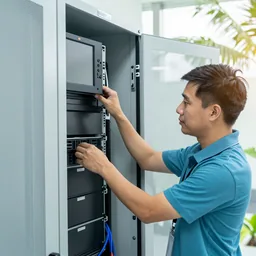 AI 服务器部署与维护我们在贵司内部安装 AI 服务器,配置用户账号、备份并做验收测试,之后持续维护,每月复测。
 AI 员工培训老挝语、泰语或英语实操工作坊:日常安全使用 AI、编写提示词、核查输出以及数据使用规则。
发给我们建筑平面图或几张现场照片
我们会先询问一些细节,再给出初步设计方案。首次咨询免费,可用老挝语、泰语或英语,通过 WhatsApp 或 Facebook 主页联系。