 数据中心与服务器
现场常见问题
What we usually see on sites: the only backup NAS sits beside the server in the same room, so one fire, rainy-season flood, theft or ransomware attack destroys production data and backups together. Power and cooling at the second branch are weaker than the main site, and nobody ever tested failover, so nobody knows whether recovery takes hours or days.
Why a backup in the same room saves nothing
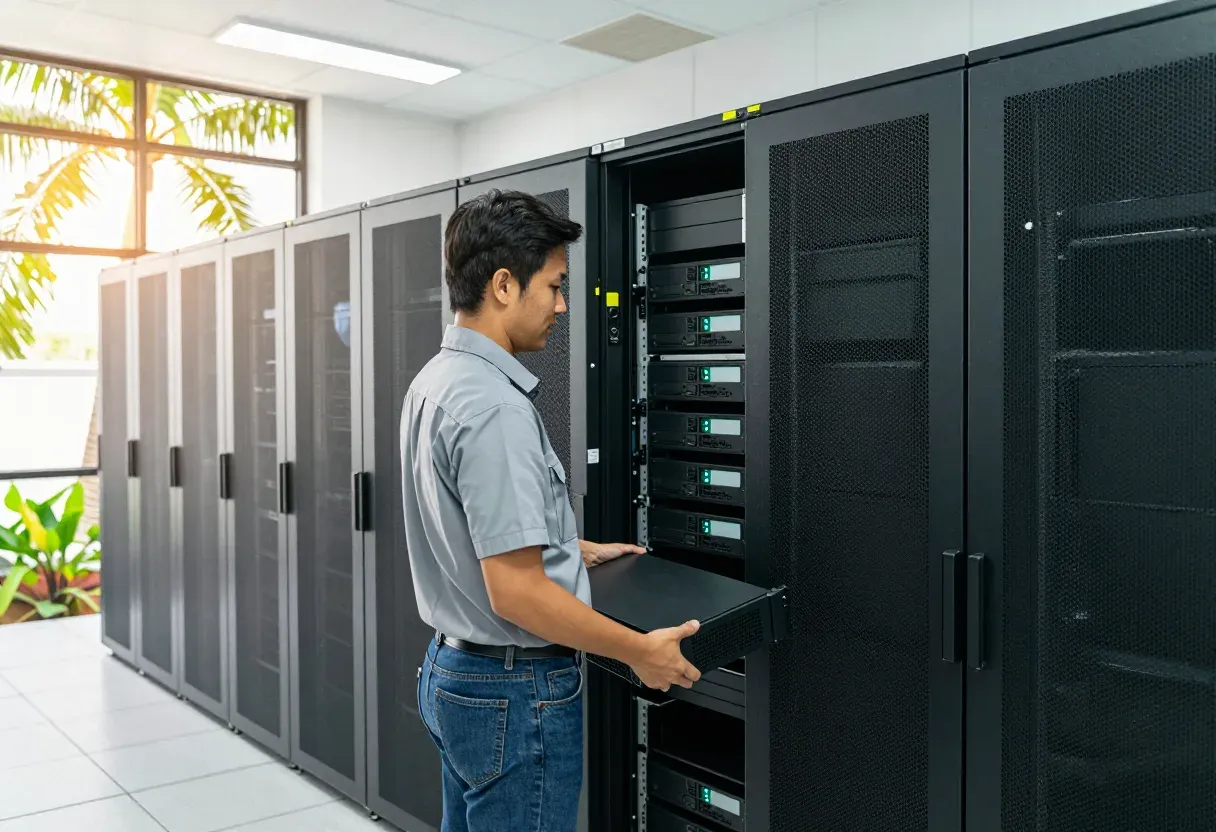
Many server rooms in Vientiane and the provinces keep the backup NAS next to the rack. One fire, one rainy-season flood in a low area, or one burglary takes production data and backups together. Ordinary backup covers deleted files and failed disks, but not the loss of the whole room. For most offices under 50 people we would agree two numbers in writing first: data loss limit (RPO) and downtime limit (RTO).
Which second site fits
Another branch of your own costs least, but the room usually needs better UPS, cooling and locks first. A rented rack in a colocation facility gives round-the-clock power, cooling and guards without building a room yourself; we do not own or operate any data center, we install your equipment into the rented rack correctly. Cloud suits teams that want to grow without buying hardware:
- Own branch: lowest spend, but budget for UPS, cooling and door access
- Rented rack: power, cooling and guards included, sized by rack space and power draw
- Cloud: no hardware to buy, but needs a stable link and a monthly operating budget
Replication, offline copies and the drill
We replicate virtual machines (server virtualization) and backups to the second site on the agreed schedule. One copy stays immutable or offline, so ransomware in the main network cannot delete every copy at once. The time math must be honest: 500 GB over a 20 Mbps link takes about 55 hours (500,000 MB divided by 2.5 MB per second), so heavy-change sites need a faster link or a seed carried on disk. We set up the site-to-site VPN, the DNS switch plan and the boot order, then prove it with a yearly drill that times a real recovery. Send us a photo of your current rack and your backup software dashboard on WhatsApp and we will suggest the site type and RPO/RTO that fit you.
功能
Written RPO and RTO agreement
Agreed data-loss and downtime limits that drive every later design choice.
VM and backup replication
Virtual machines and backups copied to the second site on the agreed schedule.
Immutable and offline copy
One copy that ransomware cannot delete from the network, kept offline or locked.
VPN and DNS failover plan
Site-to-site VPN with DNS switching and a clear system boot order.
Colocation rack move and setup
Servers moved into the rented rack with labelled power and network cabling.
Yearly failover drill
Main site shut per plan, real recovery timed and lessons recorded each year.
设计与实施
- 1
Agree RPO and RTO, then pick the second site: own branch, rented rack or cloud.
- 2
Prepare power, cooling, locks and the VPN link with the DNS switch plan.
- 3
Replicate virtual machines and backups, plus one immutable or offline copy.
- 4
Move and install equipment into the rented rack, label cabling and write the remote hands plan.
- 5
Run a full failover drill, measure recovery time and hand over the recovery manual.
适用场景
- An office whose only backup NAS sits in the same room as the server.
- A company with two branches that wants the second branch to take over.
- A business hit by ransomware before that fears every copy being deleted.
- A team with a rented rack that needs servers moved in and set up properly.
常见系统规模
Second branch site
适用于: You already have another branch that can hold copies and take over.
- UPS, cooling and lock upgrades at the standby branch.
- VM and backup replication with one offline copy.
- Recovery manual with one guided failover drill.
Rented colocation rack
适用于: No suitable branch; you want a guarded rack with steady power and cooling.
- Move and installation into the rented rack with full cable labelling.
- Site-to-site VPN, DNS switch plan and system boot order.
- Remote hands plan for asking on-site staff to act for you.
Branch plus cloud
适用于: Critical workloads that must recover fast, with branch and cloud together.
- Critical systems replicated to cloud on a shorter RPO.
- Immutable copy so ransomware cannot wipe every backup.
- Yearly failover drill with a measured recovery-time report.
我们供货并安装的品牌
所有品牌名称和商标归其各自所有者所有。除非另有明确说明,提及某品牌并不代表与其存在合作关系。产品均通过正规分销渠道采购。
常见问题
Do you own a data center?
No. We design, move, install and test on your branch, a rented rack or cloud.
How often should we test failover?
At least once a year, shutting the main site per plan and timing real recovery.
What is an immutable copy?
A copy nobody can alter or delete for a set period, even with admin passwords stolen.
Our branch has weak power; can it be a DR site?
Yes, after UPS and cooling upgrades. We survey the room and list what it needs.
相关指南
相关解决方案
数据中心与服务器
 服务器虚拟化基于 VMware、Proxmox、Nutanix 或 Hyper-V,把一屋子老旧服务器整合为一个集群,单台主机宕机不再导致业务中断。
 超融合基础设施 (HCI)计算、存储与虚拟化集成于同一节点,需要扩容时加节点即可。专为 1–3 人、没有 SAN 专家的 IT 团队打造。
 NAS 与 SAN 存储集中存储:NAS 用于共享文件,SAN 承载虚拟机和数据库,配合 RAID、快照及按部门划分的权限。
 备份与灾难恢复3-2-1 备份,含勒索软件无法删除的不可变副本,并真正做恢复测试,而不只是看任务报告显示绿色。
 机房建设为老挝气候打造的机房:机柜、N+1 制冷、在线式 UPS、接地、气体灭火、门禁及告警传感器。
 UPS 与电源保护为服务器、交换机和监控提供 UPS、接地与浪涌保护,应对停电、傍晚电压不稳和雨季雷击。
发给我们建筑平面图或几张现场照片
我们会先询问一些细节,再给出初步设计方案。首次咨询免费,可用老挝语、泰语或英语,通过 WhatsApp 或 Facebook 主页联系。