 数据中心与服务器

现场常见问题
A three-tier stack (servers, SAN, storage switches) needs someone who understands all three. Most Lao IT teams are 1–3 people looking after everything from printers to the firewall. When the SAN misbehaves, they wait for an engineer from Bangkok.
What is HCI?
HCI pools the CPU, RAM and disks of every node using software-defined storage. Data is written as multiple copies on different nodes, so when one node goes dark the VMs keep running. Need more? Add a node.
Platforms we deploy
- Nutanix (AOS with AHV or ESXi): managed through Prism, the easiest of the group
- Proxmox VE + Ceph: open source, good on a tight budget if your team is ready to learn Linux
- Microsoft Azure Local (formerly Azure Stack HCI): for Microsoft-centric organizations
- Dell, HPE and Lenovo hardware validated for each platform
Read this before you buy
Start at 3 nodes with redundant 10/25GbE, because every write is copied across nodes. Ignore the raw capacity on the quote. With 2 copies you get roughly half; Ceph defaults to 3 copies, which leaves about a third. You also need free space reserved for rebuilding after a node failure.
Tell us how many VMs you run and your total data in TB, and we will work out node count and real usable capacity.
功能
Scale-out growth
Add nodes to grow compute and storage together without downtime.
Single console
VMs, storage and hardware health in one console.
Built-in data protection
Cross-node copies, snapshots and replication to a DR site.
Rolling upgrades
Upgrade firmware and software one node at a time while VMs stay up.
Smaller footprint
No separate SAN, fewer rack units and a smaller UPS.
Hypervisor choice
AHV, Proxmox, Hyper-V or ESXi to match team skills and licensing.
设计与实施
- 1
Measure current workloads and forecast 3–5 years of growth.
- 2
Choose the platform and set node count, disk layout and replication factor.
- 3
Deploy paired 10/25GbE switches with dedicated storage VLANs.
- 4
Build the cluster, then physically pull a node to test failover and rebuild.
- 5
Migrate VMs, configure backup and UPS integration.
适用场景
- A construction firm with a 1–2 person IT team supporting ERP and large drawing files.
- A private hospital whose HIS must stay up around the clock.
- A government agency wanting a compact server room that can grow.
- Remote sites (mines, dams) running 2–3 node HCI replicating to Vientiane.
常见系统规模
Edge / Branch
适用于: Remote site, 5–20 VMs
- 2–3 nodes with witness
- Replication to head office
- Remote management
Core
适用于: Head office, 20–100 VMs
- 3–4 all-flash nodes
- Paired 25GbE switches
- Migration and team training
Multi-site
适用于: Multiple sites with DR
- Primary and DR clusters
- Failover runbook
- MA and monitoring contract
我们供货并安装的品牌
所有品牌名称和商标归其各自所有者所有。除非另有明确说明,提及某品牌并不代表与其存在合作关系。产品均通过正规分销渠道采购。
常见问题
HCI or servers plus SAN?
For small teams HCI is easier to live with. A separate SAN still makes sense when storage grows far faster than compute (video, scanned archives) or a database needs the lowest possible latency.
Can we run just 2 nodes?
For a branch, yes, with a witness elsewhere. Be aware that while one node is down your data has a single copy until it is repaired. Three or more nodes is safer.
How much usable capacity do we get?
With 2 copies (RF2) usable space is about half of raw; with 3 copies (the Ceph default) about a third. Then subtract rebuild headroom. Erasure coding helps on larger clusters.
相关指南
博通收购 VMware 之后:续费,还是迁移到 Proxmox VE、Nutanix、Hyper-V 或 XCP-ng?
2023 年以来 VMware 授权模式的变化,对替代方案的客观比较,以及风险可控的评估与迁移流程。
NAS、SAN 还是云:网速不稳时公司数据放在哪里
NAS、SAN 与云在协议、性能和成本上的区别,附真实上传时间计算,以及适合老挝网络条件的混合架构。
3-2-1 备份原则(及 3-2-1-1-0)实践
全球通用的备份原则,勒索软件为何催生了额外的“1”和“0”,如何设定 RPO 和 RTO,恢复时间计算示例,以及如何适应老挝的电力和带宽条件。
2026年VMware VVF与VCF对比:包含什么、该怎么做
VMware vSphere Foundation与Cloud Foundation对比:按核订阅、各套件包含什么,以及与Proxmox、Hyper-V、Nutanix的比较。
相关解决方案
数据中心与服务器
 服务器虚拟化基于 VMware、Proxmox、Nutanix 或 Hyper-V,把一屋子老旧服务器整合为一个集群,单台主机宕机不再导致业务中断。
 NAS 与 SAN 存储集中存储:NAS 用于共享文件,SAN 承载虚拟机和数据库,配合 RAID、快照及按部门划分的权限。
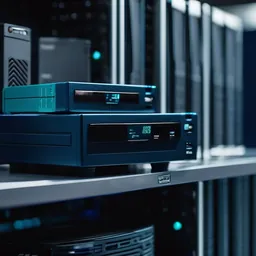 备份与灾难恢复3-2-1 备份,含勒索软件无法删除的不可变副本,并真正做恢复测试,而不只是看任务报告显示绿色。
 机房建设为老挝气候打造的机房:机柜、N+1 制冷、在线式 UPS、接地、气体灭火、门禁及告警传感器。
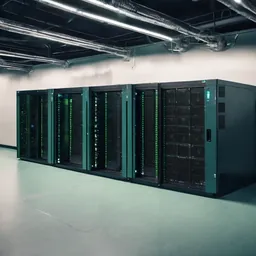 UPS 与电源保护为服务器、交换机和监控提供 UPS、接地与浪涌保护,应对停电、傍晚电压不稳和雨季雷击。
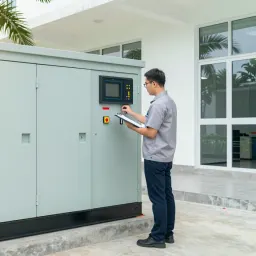 柴油发电机与 ATS 备用电源为办公室、诊所、酒店和偏远站点配置带 ATS 的备用柴油发电机,容量与 UPS 协同设计。
发给我们建筑平面图或几张现场照片
我们会先询问一些细节,再给出初步设计方案。首次咨询免费,可用老挝语、泰语或英语,通过 WhatsApp 或 Facebook 主页联系。