Synology 老挝供货与安装
台湾的 Synology 生产运行 DSM 的 NAS,管理简便。最有价值的附加功能是 Active Backup for Business,可备份 PC、服务器、虚拟机和 Microsoft 365,且不按设备收授权费;Surveillance Station 可录制 IP 摄像机(额外摄像机授权按通道计)。2025 年新款 Plus 机型只接受 Synology 兼容列表内的硬盘;DSM 7.3 已对其他品牌 SATA 硬盘和 SSD 取消该限制,但用作存储池的 M.2 SSD 仍须在列表内。
- 总部
- Taiwan
- 定位
- 入门级中端
- 品牌网站
- www.synology.com
适合谁
Companies of 10-150 staff whose files sit on individual PCs and who don't yet have a backup they've actually restored from.
概述
Who Synology is
Synology is a Taiwanese company that makes NAS (network-attached storage) and backup software. What sets it apart is DSM (DiskStation Manager), an operating system that is easy to run from a browser, with bundled apps that carry no extra licence fees. The current version is DSM 7.3, released in October 2025.
The product lines
- DiskStation: desktop NAS units such as the DS925+ (four bays, two 2.5GbE ports) for offices.
- RackStation and FlashStation: rack NAS for server rooms, such as the RS2825RP+ (16 bays, redundant power supplies), and all-flash models.
- Active Backup for Business: backs up Windows and Mac PCs, servers, VMware and Hyper-V VMs, and Microsoft 365 or Google Workspace with no per-device licence.
- Hyper Backup and Snapshot Replication: copy the NAS to a second unit or to Synology C2 cloud. Since DSM 7.2, immutable snapshots cannot be deleted or changed until their retention period ends.
- Surveillance Station: records IP cameras of many brands. A few camera licences come free depending on the model; extra cameras need a licence each.
- ActiveProtect: dedicated backup appliances (such as the DP320 and DP7400) that run ActiveProtect Manager instead of DSM and do backup only.
The 2025 drive episode
In 2025 Synology required its 2025 Plus models to use only drives on its own list. After strong criticism, DSM 7.3 lifted that restriction for SATA hard drives and SSDs from Seagate, WD and other makers. M.2 SSDs used to build a storage pool still have to be on the list.
Who it suits
Companies of 10 to 150 staff whose files live on individual PCs and who have never test-restored a backup. One NAS with Active Backup and an off-site copy fixes most of that.
优势
- Active Backup for Business protects PCs, servers, VMs and Microsoft 365 with no per-device licence, a real saving for a small company.
- DSM is easy enough that an IT generalist can create shares, set permissions and check backup status without a storage specialist.
- Immutable snapshots and WriteOnce shared folders are included in DSM at no licence cost, giving you a way back after ransomware encrypts files.
- One box covers file sharing, backup, camera recording and cloud copy, which suits branches without a server room.
选型前须知
- Never expose the DSM login to the internet. NAS units with open ports are prime targets for ransomware and password guessing. Use a VPN, turn on MFA and keep DSM updated.
- A NAS in the same room as the PCs is not enough backup on its own. Keep an off-site or cloud copy and test restores regularly.
- Check the compatibility list before buying drives, especially M.2 SSDs and rack or enterprise models. The 2025 policy change showed these rules can move.
- A single NAS is a single point of failure. If the service cannot stop, consider Synology High Availability with two identical units.
在老挝的使用
Synology is easy to buy through Thai distributors and IT shops in Vientiane. Desktop models are usually in stock; rack models may need ordering. A warranty claim usually means sending the unit back to Thailand, which is why a second backup copy matters so much.
What we see:
- Brownouts: a NAS that keeps losing power corrupts volumes and needs long disk checks. Put it on a UPS and connect USB or network signalling so the NAS shuts itself down before the battery runs out.
- Heat: a NAS inside a wooden cabinet or under a desk runs its disks hot and wears them out. Give it airflow.
- Internet: the first cloud backup can take days on a slow upload link. A second NAS at another branch, or at a manager's home, is often the better off-site copy.
Sectors that fit: offices, schools, clinics, small hotels and construction firms with large drawing archives.
与其他方案对比
QNAP tends to give more hardware for similar money (10GbE, faster CPUs) and offers ZFS-based QuTS hero, which suits teams handling big files with an experienced administrator. When data and VMs grow to the point of needing a real SAN and enterprise support, Dell PowerVault or PowerStore is the next step, and NetApp for organizations running two data centers.
产品线
- DiskStation
- RackStation
- FlashStation
- DiskStation Manager (DSM)
- Active Backup for Business
- Hyper Backup
- Surveillance Station
- Synology C2
- ActiveProtect
使用此品牌的解决方案
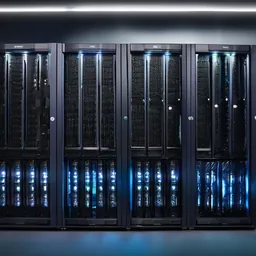 NAS 与 SAN 存储集中存储:NAS 用于共享文件,SAN 承载虚拟机和数据库,配合 RAID、快照及按部门划分的权限。
 备份与灾难恢复3-2-1 备份,含勒索软件无法删除的不可变副本,并真正做恢复测试,而不只是看任务报告显示绿色。
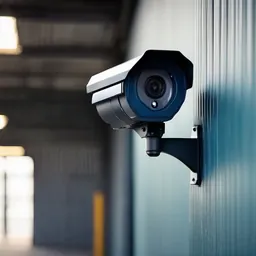 IP 视频监控(CCTV)H.265 IP 摄像机搭配 NVR/VMS,按每台摄像机要看清的目标设计:人脸、车牌或全景。适应灰尘、雨水和电压波动。
 企业版 Microsoft 365正版 Exchange 邮箱、Teams、OneDrive 和 Office,开通当天即启用 MFA、Intune 与 Defender,而不是等出事后才补。
 企业版 Google Workspace企业域名 Gmail、Drive、Meet 和 Docs,浏览器即可使用,强制两步验证,共享云端硬盘归公司所有。
 异地灾备站点与机柜托管为服务器和备份建立第二站点,配置数据复制、离线副本,每年进行一次切换演练。
常见问题
Can we use WD or Seagate drives in a new Synology?
On Plus models running DSM 7.3 or later, WD and Seagate SATA hard drives and SSDs work without warnings. M.2 SSDs for a storage pool must still be on the list. For rack and enterprise models, check that model's list first.
Can Active Backup replace paid backup software?
For PCs, file servers and a modest number of VMs in a small to mid-sized company, usually yes. With many VMs, databases that need granular restore, or several hypervisors, software such as Veeam fits better, and Synology can still be the backup target.
How should we reach the NAS from outside the office?
Use a VPN on the office firewall or router and turn on MFA for DSM accounts. QuickConnect is convenient for ordinary users but should not be used for admin accounts. Never port-forward the DSM login to the internet.
所有品牌名称和商标归其各自所有者所有。除非另有明确说明,提及某品牌并不代表与其存在合作关系。产品均通过正规分销渠道采购。
发给我们建筑平面图或几张现场照片
我们会先询问一些细节,再给出初步设计方案。首次咨询免费,可用老挝语、泰语或英语,通过 WhatsApp 或 Facebook 主页联系。