 数据中心与服务器
现场常见问题
Important files sit on individual laptops, on an external drive in someone's drawer and on USB sticks. A laptop dies or someone resigns, and the data goes with them. Ask who can open the payroll folder and usually nobody knows.
How do NAS and SAN differ?
| NAS | SAN | |
|---|---|---|
| Access | File level (SMB/NFS) | Block level (iSCSI/FC/NVMe-oF) |
| Used for | File shares, documents, CCTV, backup targets | VMs, databases, ERP |
| Complexity | Low | Medium–high |
Most offices of 10–100 people only need a NAS that is set up properly. A SAN earns its place once you have a VM cluster.
Secure configuration, not just switching it on
- RAID matched to drive size: for 8TB drives and up, RAID 6 or RAID 10, not RAID 5
- Read-only snapshots hourly or daily, to recover deleted or encrypted files
- Active Directory permissions: finance sees finance folders, sales sees sales
- No direct internet exposure, and the default admin account disabled
RAID is not backup
RAID only covers a failed drive. Delete a file or let ransomware encrypt it and every disk loses it at once. That is why every NAS we install ships with an off-box backup.
Tell us how many users you have and how many TB you hold today, and we will recommend a NAS size and drive count.
功能
RAID & hot spares
A failed drive rebuilds onto a hot spare immediately, without waiting for a replacement from Thailand.
Ransomware-resistant snapshots
Read-only snapshots restore a folder in minutes.
AD-integrated permissions
Department-based permissions with a log of who opened or deleted what.
SSD cache & all-flash
Speeds up VMs and databases.
Remote replication
Replicate to a second NAS at a branch or to the cloud.
Secure remote access
Reach files from outside through VPN, never by opening NAS ports to the internet.
设计与实施
- 1
Assess data volume, file types and yearly growth.
- 2
Choose NAS, SAN or unified storage and the RAID level.
- 3
Rack-mount with UPS and 10GbE on a dedicated VLAN.
- 4
Migrate data, set permissions and snapshot schedules.
- 5
Configure off-box backup and SMART alerts before drives fail.
适用场景
- A design-and-build firm keeping CAD/BIM files in one place.
- A government office storing scanned documents with department-level access.
- Schools and universities storing teaching materials.
- SAN backing a VM cluster and core banking database.
常见系统规模
Office NAS
适用于: 10–50 users
- 4–8 bay NAS with RAID
- Snapshots and department shares
- Backup to external disk or cloud
Business Storage
适用于: 50–300 users or a small VM estate
- Rackmount 10GbE NAS with SSD cache
- Replication to a secondary NAS
- AD integration and alerting
Enterprise SAN
适用于: Virtualization and critical databases
- Dual-controller all-flash array
- Redundant iSCSI or FC fabric
- MA contract with spares held in Laos
我们供货并安装的品牌
所有品牌名称和商标归其各自所有者所有。除非另有明确说明,提及某品牌并不代表与其存在合作关系。产品均通过正规分销渠道采购。
常见问题
Which RAID level should our NAS use?
With large drives, use RAID 6 or RAID 10. RAID 5 on 8TB+ drives can take days to rebuild, and a second failure during that window loses everything.
Can we expose the NAS to the internet?
Don't. Internet-exposed NAS boxes are the first thing automated ransomware scanners find. Use VPN or ZTNA instead.
Can a NAS store CCTV video?
Yes, if the VMS supports it. Use surveillance- or NAS-rated drives on a separate volume from office files, because video writes around the clock.
相关指南
NAS、SAN 还是云:网速不稳时公司数据放在哪里
NAS、SAN 与云在协议、性能和成本上的区别,附真实上传时间计算,以及适合老挝网络条件的混合架构。
3-2-1 备份原则(及 3-2-1-1-0)实践
全球通用的备份原则,勒索软件为何催生了额外的“1”和“0”,如何设定 RPO 和 RTO,恢复时间计算示例,以及如何适应老挝的电力和带宽条件。
NVR 存储:您的摄像机需要多少 TB?
根据码率、摄像机数量和保存天数计算 NVR 存储,附 16 路示例、H.264 与 H.265 对比,以及不会提前写满的 RAID 方案。
勒索软件防护清单:在每个阶段阻断攻击
勒索软件并非一分钟内发生的事。按攻击者实际经历的阶段整理的检查清单,以及最初一小时该做什么。
博通收购 VMware 之后:续费,还是迁移到 Proxmox VE、Nutanix、Hyper-V 或 XCP-ng?
2023 年以来 VMware 授权模式的变化,对替代方案的客观比较,以及风险可控的评估与迁移流程。
能恢复的备份:在需要之前先测试
备份任务显示绿色不代表能恢复。五种测试类型、测试频率,以及如何留存测试记录。
相关计算工具
相关解决方案
数据中心与服务器
 服务器虚拟化基于 VMware、Proxmox、Nutanix 或 Hyper-V,把一屋子老旧服务器整合为一个集群,单台主机宕机不再导致业务中断。
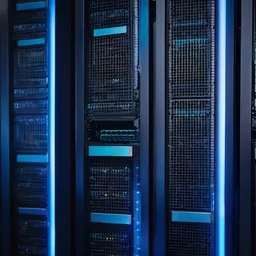 超融合基础设施 (HCI)计算、存储与虚拟化集成于同一节点,需要扩容时加节点即可。专为 1–3 人、没有 SAN 专家的 IT 团队打造。
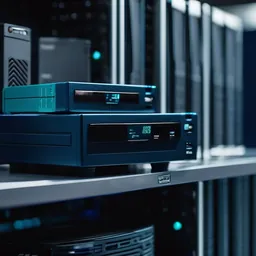 备份与灾难恢复3-2-1 备份,含勒索软件无法删除的不可变副本,并真正做恢复测试,而不只是看任务报告显示绿色。
 机房建设为老挝气候打造的机房:机柜、N+1 制冷、在线式 UPS、接地、气体灭火、门禁及告警传感器。
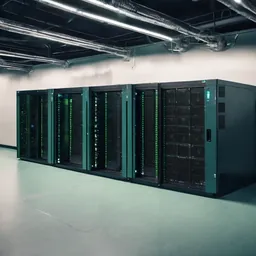 UPS 与电源保护为服务器、交换机和监控提供 UPS、接地与浪涌保护,应对停电、傍晚电压不稳和雨季雷击。
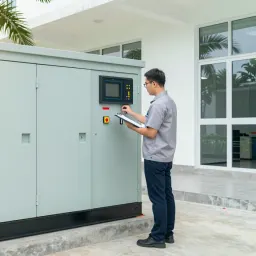 柴油发电机与 ATS 备用电源为办公室、诊所、酒店和偏远站点配置带 ATS 的备用柴油发电机,容量与 UPS 协同设计。
发给我们建筑平面图或几张现场照片
我们会先询问一些细节,再给出初步设计方案。首次咨询免费,可用老挝语、泰语或英语,通过 WhatsApp 或 Facebook 主页联系。