On this page
- Digital signage is more than a TV on the wall
- Commercial display vs consumer TV
- Brightness: where people get it wrong
- Screen size and viewing distance
- Players: built-in or separate
- CMS and scheduling
- Lao, Thai and English content
- Network and security
- What changes in Lao conditions
- Worked example: a restaurant with five screens
- Rollout checklist
- What we keep finding
- Our recommendation
Digital signage is more than a TV on the wall
Plenty of restaurants, banks, hotels and showrooms in Vientiane start by buying a TV and plugging in a USB stick. It works for a while. Then someone has to climb a ladder to swap the USB every time a price changes, one screen starts showing a ghost of the old menu, and another boots to a "No signal" page after a power cut. A real signage system has four parts: display, player, CMS (content management system) and network. Get all four right and the screens run themselves every day without anyone touching them. Get one wrong and staff spend their mornings fixing screens instead of serving customers.
Commercial display vs consumer TV
| Item | Consumer TV | Commercial display |
|---|---|---|
| Designed operating hours | A few hours a day | 16/7 or 24/7 |
| Warranty in commercial use | Often void | Covered |
| Typical brightness | About 250–400 nits | 350–700 nits indoor; 2,500+ nits where sun hits the screen |
| Remote control | Limited | RS-232 / LAN, on/off scheduling, auto power-on after outage |
| Portrait mounting | Usually not supported | Supported |
16/7 means rated for 16 hours a day, 7 days a week. It suits shops and offices. 24/7 is for hotel lobbies, airports, control rooms or any screen that never switches off. Running a consumer TV 14 hours a day often means the warranty won't help you when it fails.
On image retention: commercial LCD panels suffer less than OLED, but a logo or price bar that never moves for months can still leave a mark. Turn on the display's pixel-shift setting, change the layout now and then, and don't use OLED for menus that sit still all day.
Brightness: where people get it wrong
- Indoor, away from windows: around 350–500 nits is fine.
- Facing out through a window: afternoon sun in Laos is harsh. A 500-nit screen behind glass is unreadable. Choose a purpose-built window display at roughly 2,500–4,000 nits.
- Outdoor: use a proper outdoor display with an ingress rating and thermal management, or modular LED. A TV in a box overheats, and the panel can blacken within one hot season.
High-brightness screens draw several times more power and run much hotter than standard ones. Check the ventilation space behind them and the electrical circuit before installation.
Screen size and viewing distance
The simple rule: the smallest text on screen must be readable from where the furthest person stands. The numbers we use on site:
| Viewing distance | Typical use | Size we usually choose |
|---|---|---|
| 1–2 m | Counter, queue screen, lift lobby | 32–43 inch |
| 2–5 m | Menu board behind a counter, bank waiting area | 43–55 inch |
| 5–10 m | Hotel lobby, showroom | 65–86 inch or a 2×2 video wall |
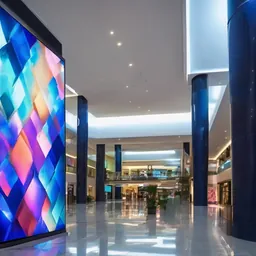
| Over 10 m, or a large feature wall | Event hall, mall atrium | LED video wall |
For menus we keep price text at least about 1 cm tall for every metre of viewing distance, so customers standing 4 m away need figures around 4 cm high. For LED walls, the closest comfortable viewing distance in metres is roughly the pixel pitch in millimetres: P2.5 looks fine from about 2.5 m back. For a really sharp image, many designers plan for two to three times that distance.
Players: built-in or separate
Many commercial displays have a built-in SoC (Samsung's Tizen or LG's webOS, for example) that plays content from the CMS with no extra box. Fewer cables, fewer things to fail. For menus, promotions and video, this is our usual choice.
A separate player (Android, Windows or a small Linux box) suits heavier content: animated web pages, live dashboards, touch screens, or cases where your chosen CMS doesn't support that display brand's SoC. Before ordering, ask the CMS vendor to confirm support for that exact display platform, not just "works with Samsung".
CMS and scheduling
A good CMS should:
- Group screens (branch, floor, outlet) and push content to a group
- Schedule by day and time: breakfast menu 06:00–10:30, lunch menu, off-peak promotions
- Cache content locally and keep playing when the internet drops. For provincial branches, this is non-negotiable
- Report screen status and a recent screenshot, so you know which screen is offline
- Set permissions: branch managers can edit prices but not the logo
Cloud or self-hosted
| Cloud CMS | Self-hosted (on-premise) CMS | |
|---|---|---|
| Server | The vendor runs it | You run, patch and back it up |
| Cost model | Subscription per screen, monthly or yearly | Licence, server and your team's time |
| Security updates | The vendor | Your team |
| Fits | Restaurants, retail chains, hotels | Banks, organizations that keep data in-house |
Two things from 2025–2026 are worth knowing. Samsung has announced end of sale for MagicINFO on-premise licences at the end of 2026, with security support ending in 2029, and is moving customers to its cloud platform, VXT. And in 2025 the MagicINFO 9 server had a critical flaw that attackers used to install botnet malware on servers exposed to the internet. The lesson applies to every CMS brand: if you host it yourself, patch it regularly and never publish the server to the internet without protection.
Lao, Thai and English content
The problem we actually run into isn't the screen. It's fonts. Some players and templates have no Lao font, so text shows as boxes or vowels land in the wrong place.
- Test Lao text with stacked vowels and tone marks on the real player before ordering in quantity.
- Use Unicode fonts such as Noto Sans Lao and Noto Sans Thai, not legacy non-Unicode fonts.
- Rendering content as images or video is safest for fonts, but you can't update prices quickly. For menus and exchange rates, use text templates that have been font-tested.
- Lao and Thai text often runs a little longer than English, so leave room in the layout.
- Three languages on one slide usually gets crowded. We tend to set Lao large and English smaller, or rotate languages slide by slide.
Network and security
A networked screen is a network device. Treat it like one.
- Put screens on their own VLAN, not on the same segment as accounting PCs or POS. Our VLAN guide explains how.
- Use cabled LAN where you can. Wi-Fi works, but never the guest Wi-Fi.
- Change default passwords, disable unused ports and services, keep firmware updated.
- What happens if someone puts an inappropriate image on your shop-front screen? CMS logins need MFA.
- Set firewall rules so the signage VLAN can reach only the CMS and update servers.
Bandwidth is lower than most people expect. A 30-second 1080p clip is typically 20–40 MB, downloaded once and cached on the player. What really uses the connection is live streaming or dashboards that pull data all day.
What changes in Lao conditions
- Power cuts and power return: enable auto power-on and check that the player restarts its playlist with nobody pressing a button. Test it by switching off the real breaker.
- Lightning: long LAN runs to outdoor screens need surge protection at both ends, on data and power. For long distances, use fibre.
- Heat: glass shopfronts facing west get very hot in the afternoon. Check the operating temperature in the datasheet and leave ventilation gaps.
- Rainy season: outdoor enclosures need the right IP rating, and you have to think about condensation inside.
- Spares from Thailand: with dozens of screens, keep one spare player or display of your most common model. A replacement order can take weeks.
Worked example: a restaurant with five screens
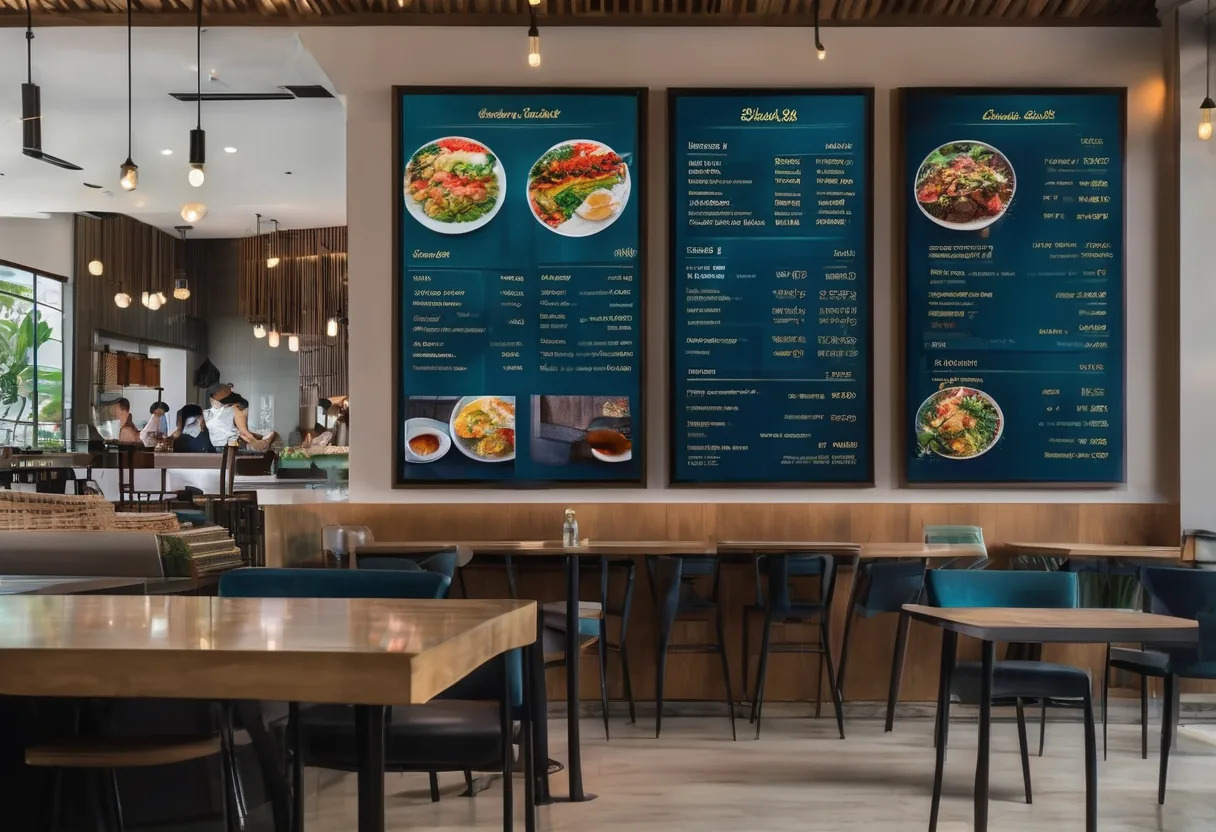
- Three 55-inch menu boards behind the counter, customers 3–4 m away. Commercial 16/7 displays with a built-in SoC, price figures at least 4 cm high.
- One 55-inch screen facing the street on the west side: a window display at about 3,000 nits.
- One 43-inch promotion screen at the entrance.
Power: an indoor 55-inch display draws roughly 80–150 W. A window display draws two to three times more; check that model's datasheet. We put the screens on their own circuit with surge protection, and give a small UPS only to the switch and router. Backing up every screen on battery is rarely worth it.
Content: a breakfast/lunch/dinner schedule, with menus built as text templates so the manager can change prices from a phone. A day's playlist with ten video clips is around 300 MB, easily cached on each player.
Rollout checklist
- Site survey: count screens, mark positions, measure viewing distances, note which screens get sun, check walls and power points.
- Choose displays by duty hours and brightness.
- Choose the CMS, confirm it supports that display and Lao fonts. Trial one screen for two weeks first.
- Prepare the network: VLAN, cabling, firewall rules.
- Mount with correctly rated brackets, ventilation gaps and tidy cabling.
- Configure: auto power-on, schedules, pixel shift, lock the buttons and IR remote so nobody changes the input.
- Train staff: who changes prices, how, and who approves.
- Hand over: passwords stored safely, MFA on, and a note of whom to call when something breaks.
What we keep finding
- Consumer TVs running 14 hours a day and dying within a year or two, with no warranty.
- A 500-nit screen in a window that gets the afternoon sun.
- Broken Lao text because nobody tested the font.
- The remote left on the counter, someone changes the input, and the screen shows "No signal" all day.
- Screens connected to the guest Wi-Fi.
- Nobody owns the content, so the screen still shows last year's promotion.
Our recommendation
For a restaurant or branch with 1–10 screens: 16/7 commercial displays with a built-in SoC and a cloud CMS that caches offline. Simple to run. For banks or large multi-branch networks: consider a self-hosted CMS, but only with a team that will actually patch it, and strict network separation. Either way, name the person responsible for content on day one. You can see what we cover on our digital signage page.
Tell us how many screens, where they go and which ones face a window, and we'll recommend size, brightness and a CMS to match.
- #digital-signage
- #commercial-display
- #cms
- #nits
- #lao-fonts
- #retail
- #hospitality