 智能楼宇与 IoT
现场常见问题
Printed posters have to be swapped by hand, costing time and printing. One branch is still showing last month's promotion. USB-fed TVs need someone to walk round and update each screen, and after a power cut the TV sits on its input menu until someone presses a button.
System components
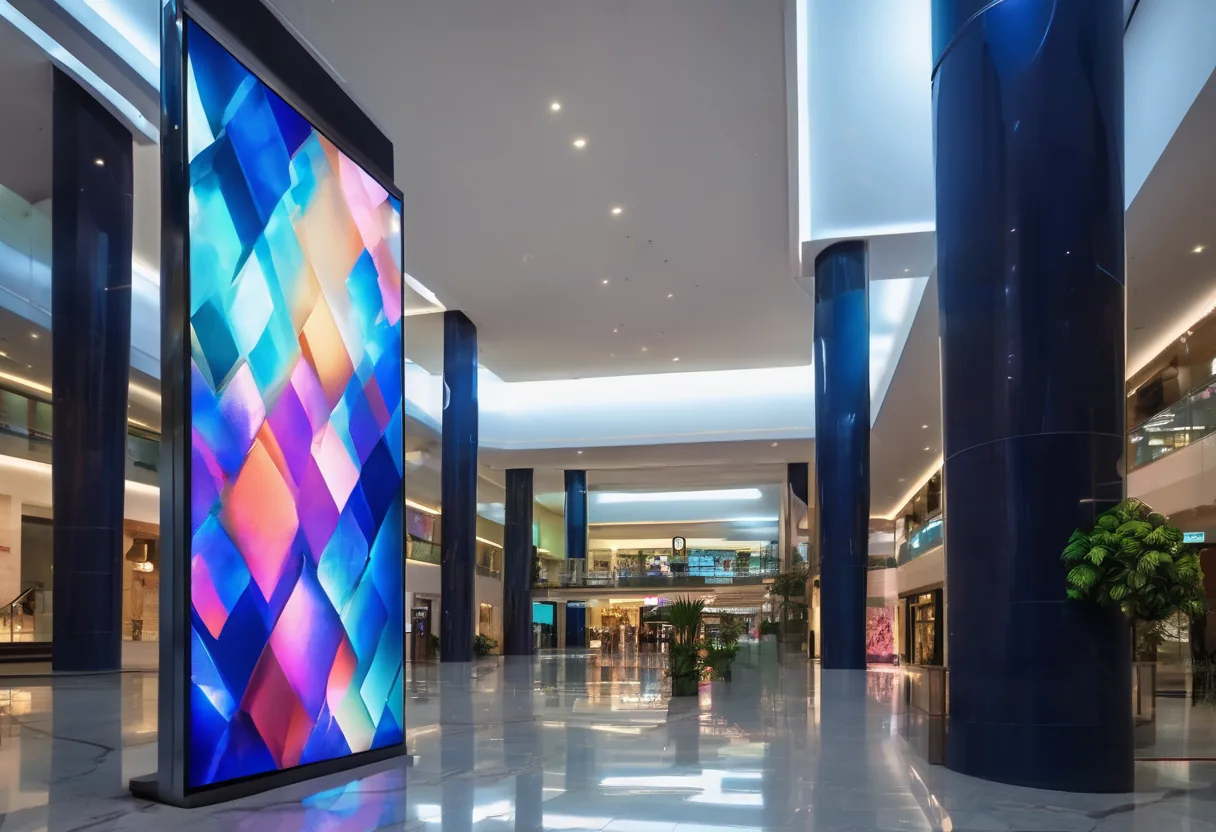
- Commercial-grade displays: rated for long continuous operation (many 16/7 or 24/7), unlike consumer TVs. A sun-facing shopfront needs a high-brightness panel of at least 2,500 nits, or at midday nobody can see a thing
- Media players: built into the display (SoC) or a separate player box
- CMS: cloud or on-premises content management for uploads, scheduling and screen groups
Content that earns its place
- Day-parted menus (breakfast/lunch/dinner)
- Guest welcome messages and wayfinding in hotels and buildings
- Production KPIs, safety messages and days-without-incident boards in factories and mines
- Exchange rates and queue numbers in banks
- Rotating Lao/Thai/English content
For Lao content, test fonts on the actual player first. Some cheap players stack Lao vowels and tone marks incorrectly.
Reliable and secure
Players cache content locally and keep playing if the internet drops. We put screens on their own VLAN, change default passwords, and enable watchdog and auto power-on so displays come back by themselves after a power cut.
Send us photos of where you want the screens and we will recommend size and brightness for the light at each spot.
功能
Central management
Update every screen at every branch from one CMS.
Scheduling
Change content by time, day and screen group.
Offline playback
Keeps playing when the internet is down.
Trilingual content
Lao, Thai and English fonts tested on the actual player.
Live data feeds
Show KPIs, queues or feeds from other systems.
Remote health monitoring
Know immediately when a screen or player goes offline.
设计与实施
- 1
Define locations, screen size, brightness and viewing angles.
- 2
Select displays, players and CMS (cloud or on-premises).
- 3
Install mounts, power, network and VLAN.
- 4
Build content templates and schedules.
- 5
Train the marketing or communications team.
适用场景
- Multi-branch restaurants and cafés using digital menu boards.
- Hotels: lobby, meeting-room and wayfinding screens.
- Factories and mines showing KPIs and safety messages.
- Banks displaying exchange rates and products.
- Schools and universities for announcements.
常见系统规模
我们供货并安装的品牌
所有品牌名称和商标归其各自所有者所有。除非另有明确说明,提及某品牌并不代表与其存在合作关系。产品均通过正规分销渠道采购。
常见问题
Can we use consumer TVs instead?
For a few hours a day, yes. But most consumer TVs are not built for continuous running, often won't power back on after an outage, and their warranty may not cover commercial use.
Does it need constant internet?
No. It is only needed to push updates; players keep showing cached content. Live elements (queues, exchange rates) pause until the connection returns.
Who creates the content?
Your team can update it using templates we build, or use a separate content design service.
相关指南
相关解决方案
智能楼宇与 IoT

发给我们建筑平面图或几张现场照片
我们会先询问一些细节,再给出初步设计方案。首次咨询免费,可用老挝语、泰语或英语,通过 WhatsApp 或 Facebook 主页联系。